Self-Service Referrer Linking Guide

1. Feature Overview


If you did not enter a referral code when signing up for your MEXC account, you can use the Self-Service Referrer Linking feature to manually link a referrer.

2. When Can You Use the Self-Service Referrer Linking Feature?


1) Only accounts that signed up within the past 72 hours are eligible to link a referrer.


2) Only main accounts can link a referrer; sub-accounts are not supported.

Reminder: Please contact Customer Service promptly for help if you receive a system message stating, "Your account does not support self-service referrer linking. Please contact Customer Service for assistance."

3. Filling Instructions


1) On the Help Center page, click to enter the Self-Service Referrer Linking page. You can complete the linking by entering either the referral code or the UID of the referrer.
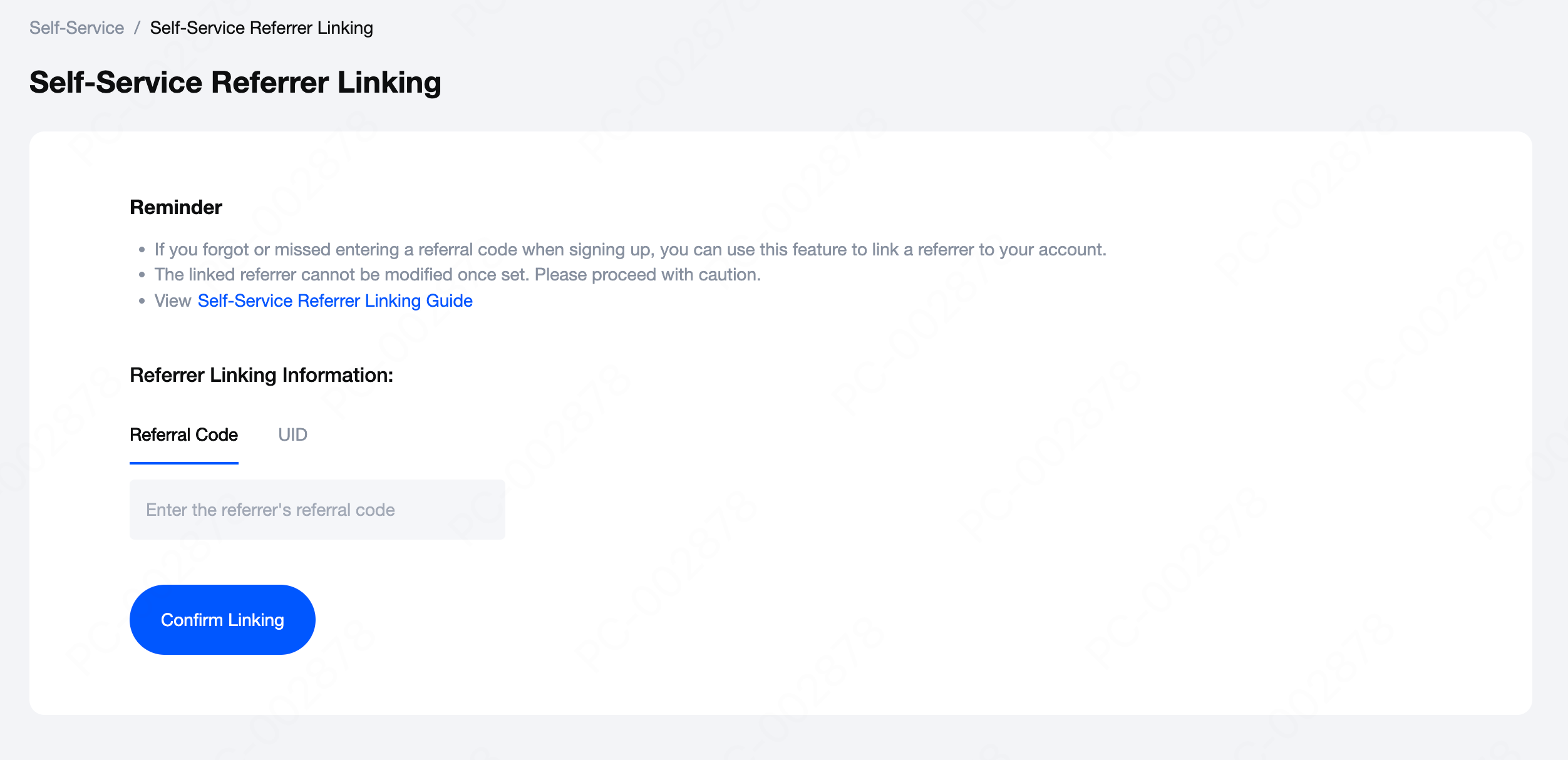

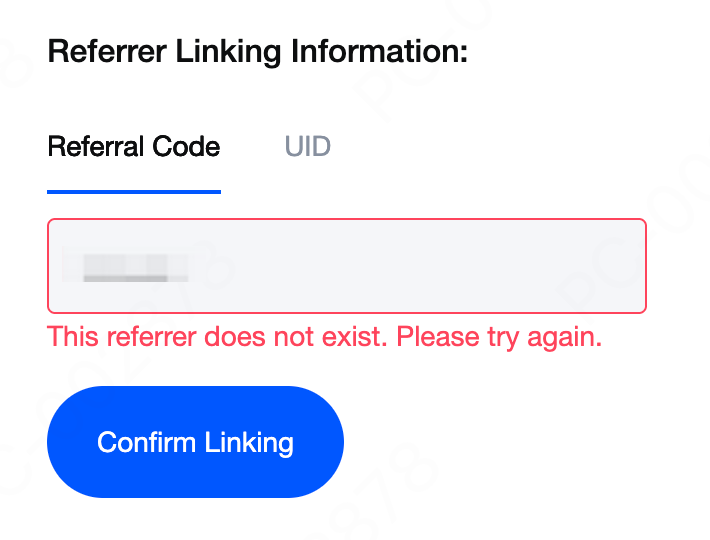
If the referral code or UID you entered does not exist, the system will display the message: "This referrer does not exist. Please try again."

Please confirm the information with your referrer and ensure that the linking is completed within 72 hours of signing up for an account.

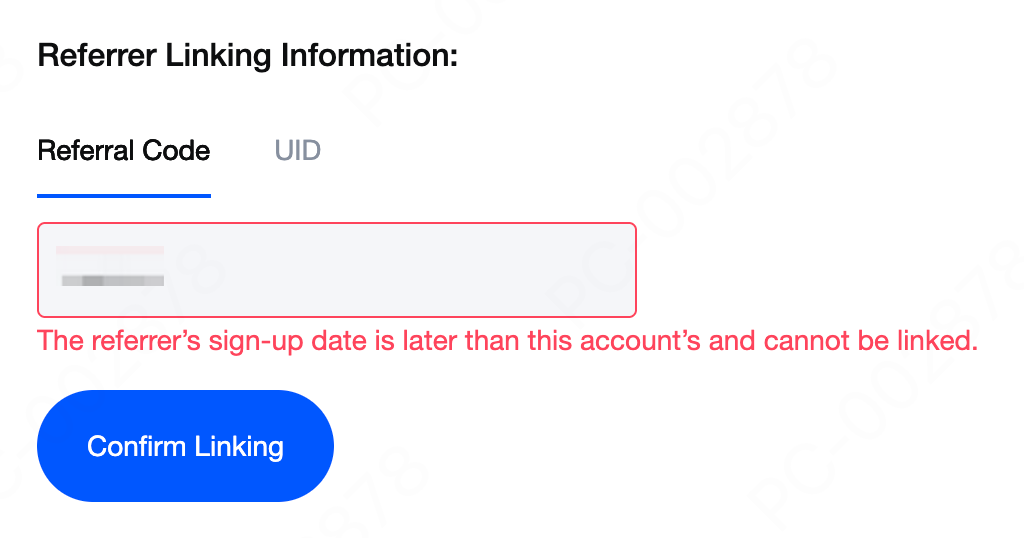
If a referrer signed up for an account after you (the referee), the system will be unable to establish the referral relationship. According to the platform's referral policy, only referrals where the referrer signed up before the referee are supported.

If your account shares the same identity information as the referrer, the referral relationship cannot be established.


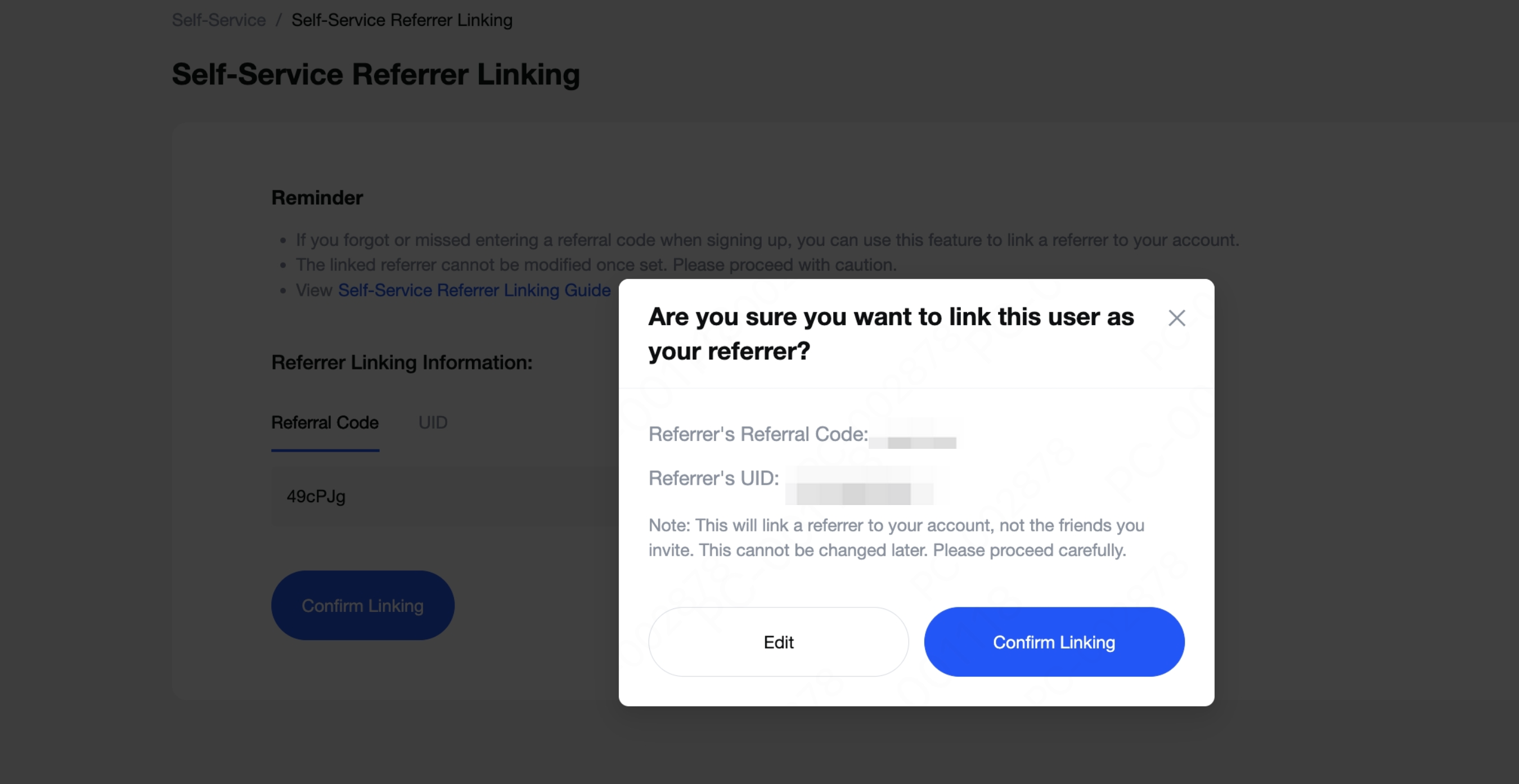
2) Click Confirm Linking to complete the process automatically.
Please Note: This will link a referrer to your account, not the friends you invite. This cannot be changed later. Please proceed carefully.

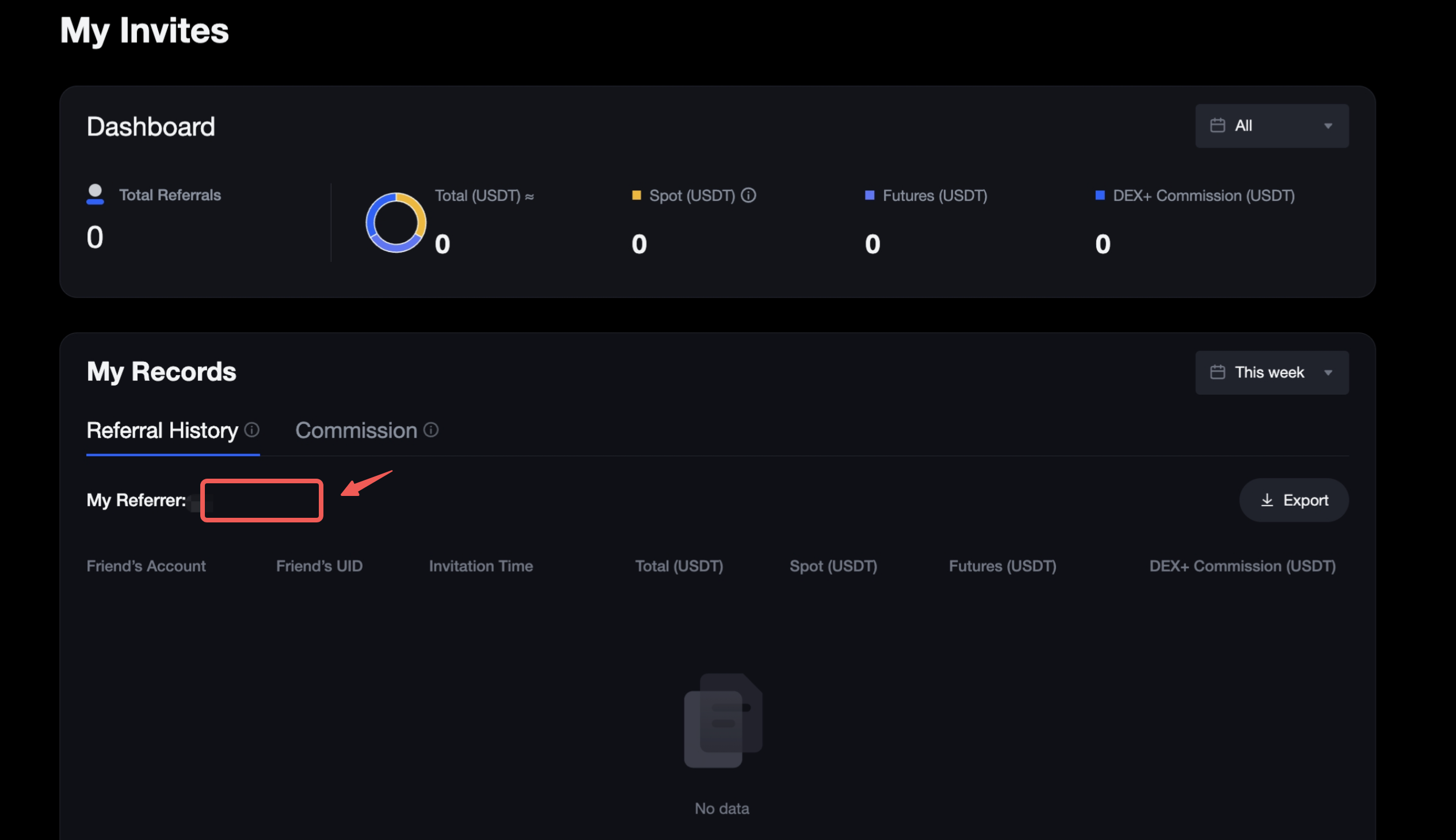
3) Once the linking is complete, you can go to My Invites My Referrer to view the referrer's information.
 
Coin Icon
Sign up now to receive 10,000 USDT in new user rewards

Subscribe to MEXC Digest

Weekly market moves, listings & insights, straight to your inbox.
By subscribing, you agree to receive MEXC newsletters and email updates, and to our Privacy Policy. The content provided is for informational purposes only and does not constitute investment advice.

Join MEXC on Telegram

Get the latest listings, events, and updates in real time, straight from our official Telegram channel.

Self-Service Referrer Linking Guide

1. Feature Overview


If you did not enter a referral code when signing up for your MEXC account, you can use the Self-Service Referrer Linking feature to manually link a referrer.

2. When Can You Use the Self-Service Referrer Linking Feature?


1) Only accounts that signed up within the past 72 hours are eligible to link a referrer.


2) Only main accounts can link a referrer; sub-accounts are not supported.

Reminder: Please contact Customer Service promptly for help if you receive a system message stating, "Your account does not support self-service referrer linking. Please contact Customer Service for assistance."

3. Filling Instructions


1) On the Help Center page, click to enter the Self-Service Referrer Linking page. You can complete the linking by entering either the referral code or the UID of the referrer.


If the referral code or UID you entered does not exist, the system will display the message: "This referrer does not exist. Please try again."

Please confirm the information with your referrer and ensure that the linking is completed within 72 hours of signing up for an account.


If a referrer signed up for an account after you (the referee), the system will be unable to establish the referral relationship. According to the platform's referral policy, only referrals where the referrer signed up before the referee are supported.


If your account shares the same identity information as the referrer, the referral relationship cannot be established.


2) Click Confirm Linking to complete the process automatically.
Please Note: This will link a referrer to your account, not the friends you invite. This cannot be changed later. Please proceed carefully.


3) Once the linking is complete, you can go to My Invites My Referrer to view the referrer's information.

 
Coin Icon
Sign up now to receive 10,000 USDT in new user rewards

Subscribe to MEXC Digest

Weekly market moves, listings & insights, straight to your inbox.
By subscribing, you agree to receive MEXC newsletters and email updates, and to our Privacy Policy. The content provided is for informational purposes only and does not constitute investment advice.

Join MEXC on Telegram

Get the latest listings, events, and updates in real time, straight from our official Telegram channel.
Stay up-to-date on the latest MEXC listings, delistings, trading events, and product updates. Discover new tokens, Launchpad projects, Earn opportunities, AI-powered tools, and futures trading enhancements on the MEXC platform.Stay up-to-date on the latest MEXC listings, delistings, trading events, and product updates. Discover new tokens, Launchpad projects, Earn opportunities, AI-powered tools, and futures trading enhancements on the MEXC platform.