Framework laptops worth buying in 2026
Table of contents
Framework laptop 12
Framework laptop 13
Framework Laptop 13 Pro
Framework Laptop 16
Framework desktop
Side-by-side comparison
If you have ever bought a laptop and felt frustrated when something breaks, you cannot fix it yourself, or the battery dies just two years in, Framework laptops were built for you.
Framework Computer is an American laptop maker founded in January 2020 by Nirav Patel, a former Apple engineer who also led hardware at Oculus and Meta. His idea was simple: laptops should be built to last, and when something goes wrong, you should be able to fix it yourself without sending it to a service centre or buying an entirely new device.
That idea turned into a company that now has about 60 employees, ships to 32 countries, and has raised around $44 million in funding. YouTube creator Linus Sebastian of Linus Tech Tips personally put in $225,000 in 2021 because he believed in the concept.
Framework laptops have received a 10 out of 10 repairability score from iFixit, the gold standard for measuring how easy a device is to repair. TIME magazine named the first Framework laptop one of the best inventions of 2021.
Every Framework laptop ships with a screwdriver in the box. Every important component, such as the battery, RAM, storage, and ports, can be swapped out by you without any special tools or technical skills. Framework also sells individual replacement parts through its own marketplace, and it commits to keeping those parts available for at least five years after a product is discontinued.
Recommended Framework laptops
The lineup today covers five products: a compact convertible, two 13-inch laptops, a larger performance machine, and a desktop PC. Here is a breakdown of each one.
1. Framework laptop 12
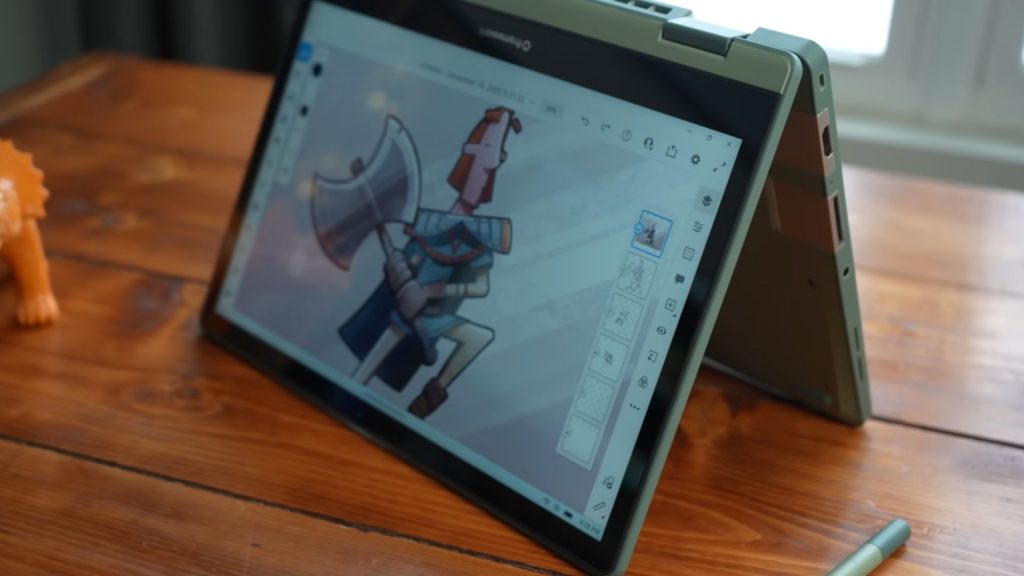 Image source: Brad Colbow on YouTube
The Framework Laptop 12 is the most affordable and most portable in the lineup. It is a 12.2-inch 2-in-1 convertible, meaning the screen can fold all the way back so you can use it like a tablet. It launched in 2025 and is aimed at students and everyday users who want something light and practical.
Display
- 12.2-inch screen with a 16:10 aspect ratio
- 1920 x 1200 resolution
- 60Hz refresh rate
- Over 400 nits of brightness
- Glossy glass with touch and stylus support (MPP 2.0 and USI 2.0 compatible)
Processor and performance
- Intel Core i3-1315U or Core i5-1334U (both are 13th Gen Intel chips)
- These chips do not have an NPU, so this is not a Copilot+ PC
- Three power modes: Performance, Balanced, and Efficiency
- Integrated Intel UHD graphics
Memory and storage
- One SO-DIMM DDR5 slot, user-replaceable, up to 48GB
- M.2 2230 NVMe storage slot, user-replaceable, up to 2TB
Battery
- 50Wh battery
- Battery life is the weakest point of this model, a known trade-off with the older Raptor Lake chip
Build and design
- TPU-overmolded plastic chassis built for shock absorption and drop resistance
- Dimensions: 287 x 213.88 x 18.45mm, which translates to roughly 11.3 x 8.42 x 0.73 inches
- Available in five colours: Black, Gray, Lavender, Bubblegum, and Sage
- Chassis uses 30% to 35% post-consumer recycled plastic
Ports and connectivity
- 4 user-selectable Expansion Card slots plus a 3.5mm audio jack
- Card options include USB-C, USB-A, HDMI, DisplayPort, Ethernet, MicroSD, SD, and storage cards
- Wi-Fi 6E and Bluetooth 5.3
Other features
- 1080p webcam with a hardware privacy switch
- Stereo speakers
- Fingerprint reader
- Windows 11 pre-installed on pre-built models; DIY Edition supports Linux and other operating systems
Price
- DIY Edition: starts at $549 (you bring your own RAM, storage, and operating system)
- Pre-built: starts at around $799 to $849
The DIY Edition is for people who want to save money and are comfortable setting up their own storage and OS. The pre-built version is ready to use out of the box. The stylus is sold separately.
2. Framework laptop 13 (AMD Ryzen AI 300 Series)
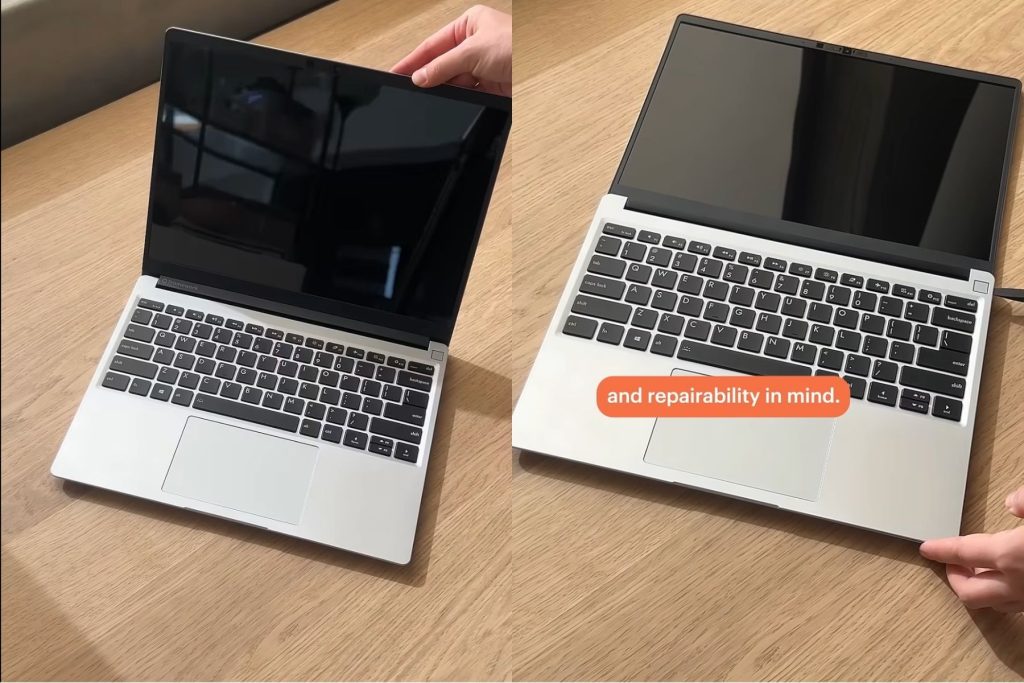 Image source: Framework on YouTube
The Framework Laptop 13 is the standard version of the 13-inch line. It was updated in 2025 with AMD Ryzen AI 300-series chips and remains the most balanced option in the lineup if you want a portable everyday laptop without paying premium pricing. It is in stock and ships immediately.
Display
- 13.5-inch screen with a 3:2 aspect ratio, which gives you more vertical space for reading and working
- Two panel options: 2.2K (2256 x 1504, 60Hz, over 400 nits) or 2.8K (2880 x 1920, 120Hz, over 500 nits)
- Both options are matte with anti-glare coating and cover 100% sRGB
- No touchscreen support on this model
Processor and performance
- AMD Ryzen AI 5 340 (6 cores, 12 threads, up to 4.8GHz)
- AMD Ryzen AI 7 350 (8 cores, 16 threads, up to 5.0GHz)
- AMD Ryzen AI 9 HX 370 (12 cores, 24 threads, up to 5.1GHz)
- Integrated AMD Radeon graphics: Radeon 840M (4 cores), 860M (8 cores), or 890M (16 cores), depending on which chip you pick
Memory and storage
- Two SO-DIMM DDR5-5600 slots, user-upgradeable, up to 64GB
- M.2 2280 NVMe storage, user-upgradeable, up to 2TB from the order page; larger drives can be installed yourself
Battery
- 61Wh battery
- Real-world battery life is around 8 to 11 hours, depending on what you are doing
Build and design
- Aluminum top and bottom covers with magnesium-aluminum internals
- Dimensions: 296.63 x 228.98 x 15.85mm, same footprint as the Laptop 13 Pro
- Weight: approximately 1.3kg
Ports and connectivity
- 4 Expansion Card slots plus a 3.5mm audio jack
- Full compatibility with the Expansion Card library
- Wi-Fi 7 via AMD RZ717 and Bluetooth 5.4
Other features
- 1080p webcam at 30fps with a 9.2MP sensor and 87-degree field of view
- Hardware privacy switches for the webcam and microphones
- Keyboard with 1.5mm key travel
- Conventional Windows Precision touchpad
- Dual-array microphones and stereo speakers (no Dolby Atmos on this model)
- Fingerprint reader
- Linux works well on this model; Fedora 40 is widely reported to work out of the box
Price
- DIY Edition: starts at approximately $899 (AMD Ryzen AI 5 340, no RAM, storage, or OS)
- Pre-built: starts at around $1,099 to $1,199, depending on configuration
Prices have risen slightly in 2025 and 2026 due to a global shortage of DRAM and NAND storage components. Framework has been transparent about this, stating that it is driven by supplier costs rather than a decision to increase margins.
3. Framework Laptop 13 Pro
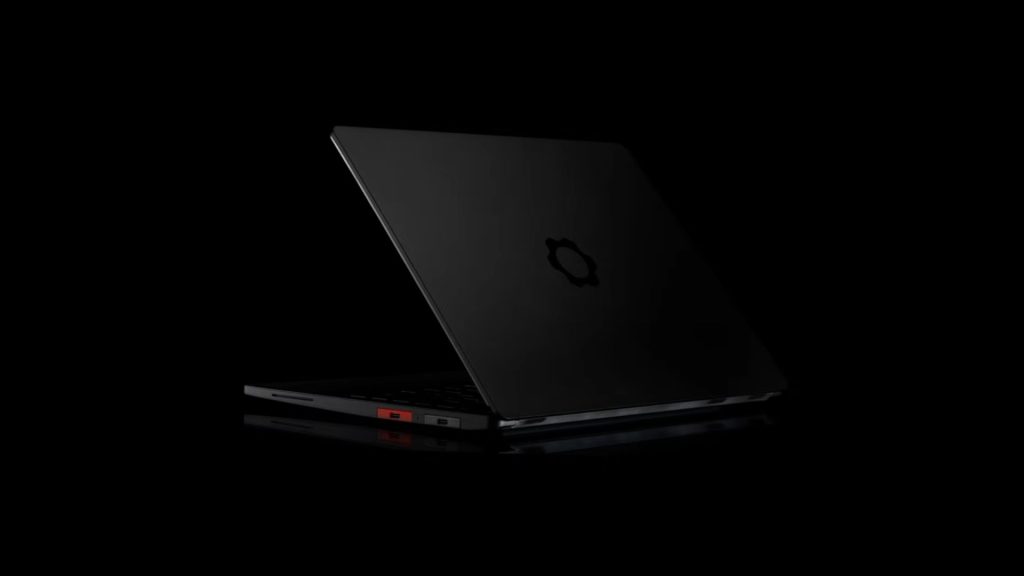 Image source: Framework on YouTube
The Framework Laptop 13 Pro is the latest and most capable version of the 13-inch laptop. It was announced on April 21, 2026, at Framework’s Next Gen Event. Framework describes it as a ground-up redesign of the 13-inch line, and early coverage from publications including Tom’s Hardware and Notebookcheck agrees it is the first Framework laptop that feels genuinely premium, not just functional. First units ship in June 2026, and demand has already pushed some orders into August 2026.
Display
- 13.5-inch custom LTPS LCD panel with a 3:2 aspect ratio
- 2880 x 1920 resolution
- Variable refresh rate from 30Hz to 120Hz
- Up to 700 nits of peak brightness
- 1800:1 contrast ratio
- In-cell touch support, which is the first touchscreen on any Framework 13-inch laptop
- Per-unit colour calibration before shipping
- Matte anti-glare surface
Processor and performance
- Intel options: Core Ultra 5 325, Core Ultra X7 358H, and Core Ultra X9 388H (all Intel Core Ultra Series 3 / Panther Lake)
- AMD option: Ryzen AI 7 350 (Ryzen AI 300 series)
- All chips include an NPU for on-device AI tasks
- Intel variants: integrated Intel Xe3 graphics on the base model; Intel Arc B390 graphics on the X7 and X9 models
- AMD variant: integrated AMD Radeon graphics
Memory and storage
- LPCAMM2 memory modules, the first Framework laptop to use this newer, faster format
- LPCAMM2 is user-replaceable, unlike the soldered memory in most thin laptops
- Up to 32GB LPDDR5X at 7467 MT/s at launch, with higher capacities coming on the LPCAMM2 roadmap
- M.2 2280 NVMe storage with PCIe 5.0 support, the first Gen5 storage on any Framework laptop
- Storage speeds over 14,000 MB/s read and write; up to 8TB capacity
Battery
- 74Wh battery, a 21% increase over the previous 61.5Wh cell
- Framework claims up to 20 hours of battery life, tested with 4K Netflix streaming at 250 nits brightness, 60Hz, and Wi-Fi on
- In-box charger upgraded from 60W to a 100W GaN USB-C adapter
Build and design
- Full CNC-machined chassis made from extruded 6063 aluminum blocks, covering the top cover, input cover, and bottom cover
- Available in a new Graphite anodization colour; Silver is also available for people upgrading an existing Laptop 13
- Dimensions: 296.63 x 228.98 x 15.85mm
- Weight: 1.4kg (approximately 3.09 lbs)
- Same outer footprint as earlier Laptop 13 generations, so older mainboards drop straight into the new chassis
Ports and connectivity
- 4 user-selectable Expansion Card slots plus a 3.5mm combo headphone jack
- Intel variants support Thunderbolt 4 across all four slots (no Thunderbolt 5)
- Card options include USB-C, USB-A, HDMI, DisplayPort, Ethernet, MicroSD, SD, and 250GB or 1TB storage cards
- A new 10 Gigabit Ethernet Expansion Card from a third-party maker called WisdPi is also available
- Wi-Fi 7 via Intel BE211 on Intel models; Bluetooth 5.4
Input
- Haptic touchpad using four piezoelectric actuators; this is the first haptic touchpad on a Laptop 13
- Active area: 124.0 x 77.0mm with fully adjustable feedback settings
- Keyboard with 1.5mm key travel, available in black and two new coloured options
- Fingerprint reader compatible with Windows Hello and Linux’s libfprint
Other features
- 1080p 30fps webcam with a 9.2MP Omnivision sensor, 87-degree field of view, and 5-element lens
- Hardware privacy switches that physically cut power to both the camera and microphones
- Side-firing stereo speakers with Dolby Atmos, which is the first Framework laptop to include Dolby Atmos
- This is also Framework’s first Ubuntu Certified laptop; it ships with Ubuntu or Windows 11 pre-installed, and the DIY Edition supports any operating system
- Framework reports that Ubuntu pre-built configurations are outselling Windows ones
- Full backward compatibility: existing Laptop 13 owners can buy and install the new chassis, display, or Pro Input Cover Kit separately without replacing the whole laptop
Price
- DIY Edition (Intel): starts at $1,199 (Core Ultra 5 325, no RAM, storage, or OS)
- Pre-built (Intel): starts at $1,499 (16GB RAM, 512GB storage, Windows or Ubuntu)
- DIY Edition (AMD): starts at $1,399
- Pre-built (AMD): starts at $2,099 (32GB RAM, 1TB storage)
The DIY Edition is significantly cheaper because you supply your own RAM, storage, and operating system. For the Intel model, buying a 16GB LPCAMM2 module adds around $240, and storage starts at $115 for 500GB. The pre-built option is easier and ready to use from day one.
4. Framework Laptop 16
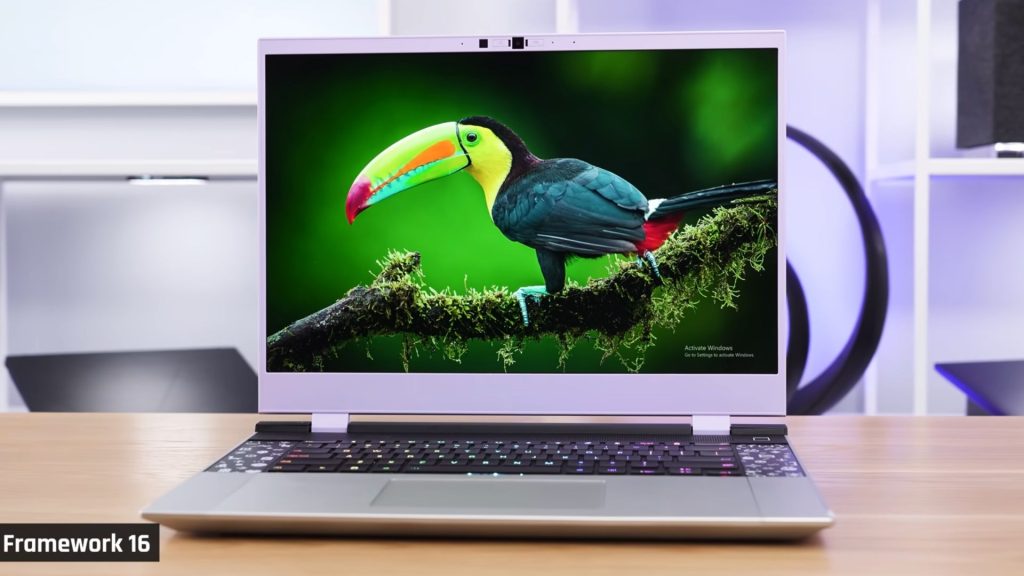 Image source: Just Josh on YouTube
The Framework Laptop 16 is the most powerful in the Framework lineup. It is the only laptop on the market, not just from Framework but from any manufacturer, where you can swap out the dedicated graphics card yourself. This makes it the obvious choice if you want serious performance for gaming, video editing, or heavy workloads, without being locked into today’s GPU forever.
Display
- 16-inch screen with a 16:10 aspect ratio
- 2560 x 1600 resolution
- 165Hz refresh rate
- Approximately 500 nits of brightness
- 100% sRGB coverage with a matte anti-glare surface
- NVIDIA G-SYNC support added in 2025 with a dedicated mux on the mainboard for direct GPU-to-display routing
Processor and performance
- AMD Ryzen AI 7 350 (8 cores, 16 threads, 45W sustained TDP)
- AMD Ryzen AI 9 HX 370 (12 cores, 24 threads, 45W sustained TDP)
- Integrated AMD Radeon 860M (with the AI 7 350) or Radeon 890M (with the HX 370)
Discrete GPU options (Expansion Bay)
- NVIDIA GeForce RTX 5070 8GB: 4,608 CUDA cores, 8GB GDDR7 at 384GB/s, 100W TGP on AC power, DLSS 4, and G-SYNC. Priced at $699 as a standalone module
- NVIDIA GeForce RTX 5070 12GB: Same core specs with 12GB GDDR7. Priced at $1,199 as a module, which is a 72% premium over the 8GB version due to the current global GDDR7 shortage
- AMD Radeon RX 7700S (2nd Gen): 32 compute units, 8GB GDDR6 at 100W TGP; a good pick if you run Linux and want open-source driver support
- Expansion Bay Shell: No GPU, lower weight and power draw for those who only need integrated graphics
Memory and storage
- Two SO-DIMM DDR5-5600 slots, user-upgradeable, up to 96GB
- Primary storage: M.2 2280 NVMe Gen 4 up to 8TB
- Secondary storage: M.2 2230 slot up to 2TB
- An optional Dual M.2 SSD Holder Module in the Expansion Bay adds up to 16TB more
- Add storage Expansion Cards on top, and the total internal capacity can exceed 24TB
Battery
- 85Wh battery
- Real-world battery life is around 6.5 to 8.8 hours for light productivity, based on testing of earlier generations
- Framework does not publish a specific hour figure for the current 2026 refresh
Build and design
- New CNC aluminum top cover with improved rigidity
- Magnesium-aluminum bottom cover made from 90% post-industrial recycled material
- Dimensions with GPU module: 356.58 x 290.20 x 20.95mm, weighing 2.4kg
- Dimensions without GPU module: 356.58 x 270.00 x 17.95mm, weighing approximately 2.1kg
Ports and connectivity
- 6 Expansion Card slots; rear ports support USB-C charging and display output
- PCIe x8 Expansion Bay slot is what makes the upgradeable GPU possible
- Wi-Fi 7 via AMD RZ717 and Bluetooth 5.4
- Ships with a 240W GaN USB-C charger, one of the first 240W USB-C adapters to reach the market
Input
- Hot-swappable, backlit keyboards running QMK firmware with full N-key rollover
- Optional new One Piece Haptic Touchpad (124.0 x 77.0mm) or standard precision touchpad with matte glass
- Optional numpad module, RGB macropad, and LED Matrix input modules
- The touchpad position can be moved
Other features
- 1080p 60fps webcam with hardware privacy switches
- Upward-firing stereo speakers (sound is not muffled when the laptop sits on a desk or soft surface)
- Redesigned heatsink and fan system using Honeywell phase-change thermal interface material for quieter operation under heavy GPU and CPU loads
- OCuLink Dev Kit sold separately, which exposes the Expansion Bay’s PCIe x8 lanes via OCuLink 8i at up to 128 Gbps; this lets you connect external desktop GPUs, NVMe storage arrays, or other PCIe devices
- Windows 11 pre-built or DIY Edition for Linux and other operating systems
Price
- DIY Edition: starts at $1,499 (Ryzen AI 7 350, no GPU module, no RAM, storage, or OS)
- Ryzen AI 9 HX 370 DIY: starts at around $1,799
- Pre-built (Performance Pro): HX 370 with RTX 5070 8GB, 32GB RAM, 1TB storage, and Windows 11 Pro lands in the $2,500 to $2,800 range
- High-end build: configurations with the 12GB RTX 5070 module and 64GB RAM exceed $3,500
The RTX 5070 12GB Graphics Module ships starting in June 2026. The 8GB module is in stock now.
5. Framework desktop
The Framework Desktop is not a laptop, but it belongs in this guide because it is built on the same philosophy: open, repairable, and upgradeable. It is a 4.5-litre Mini-ITX desktop computer powered by AMD’s Ryzen AI Max chip, the same chip family found in some of the most powerful handheld gaming PCs on the market. Framework announced it in February 2025 and began shipping in the third quarter of 2025.
Processor and performance
- AMD Ryzen AI Max 385 (8 cores, 16 threads, 3.6GHz base, 5.0GHz boost, 32MB L3 cache)
- AMD Ryzen AI Max+ 395 (16 cores, 32 threads, 3.0GHz base, 5.1GHz boost, 64MB L3 cache)
- Both run at 120W sustained, 140W boost
- XDNA 2 NPU delivering up to 50 TOPS for AI tasks
- Integrated Radeon 8050S (32 compute units) on the Max 385; Radeon 8060S (40 compute units) on the Max+ 395
- These integrated GPUs deliver performance close to a dedicated mid-range graphics card
Memory
- Soldered LPDDR5x memory: 32GB, 64GB, or 128GB
- Memory is not upgradeable after purchase
- The trade-off: soldered memory is how Framework enables the Ryzen AI Max’s 256-bit bus and 256GB/s memory bandwidth, which you cannot get with removable modules
- The 128GB configuration is priced aggressively because Framework acknowledges that you cannot upgrade it later
Storage
- Two M.2 2280 NVMe slots, user-upgradeable, up to 16TB total
Build and design
- 4.5-litre chassis, roughly 9 inches tall and 4 inches across
- Choice of black or translucent side panels
- Optional RGB fan and a carrying handle for LAN parties
- Front panel has 21 interchangeable decorative tiles (sold in packs of seven for $10 to $15, or individual logo tiles for $5 each)
- Mainboard follows the standard Mini-ITX form factor, so it can be dropped into any third-party Mini-ITX case
Ports and connectivity
- Front: 2x USB-C 3.2 Gen 2 (Expansion Card compatible)
- Rear: HDMI 2.1, 2x USB-C 4.0 with DisplayPort, 2x DisplayPort 2.1, 5 Gigabit Ethernet, 2x USB-A 3.2 Gen 2, 3.5mm combo audio jack
- Wi-Fi 7 via MediaTek RZ717 and Bluetooth 5.4
Power and cooling
- 400W Flex ATX power supply developed with FSP
- Standard 120mm cooling fan; options include a Noctua NF-A12x25 (28.8 dBA), a Cooler Master Mobius 120P ARGB, or you can bring your own fan
- Honeywell phase-change thermal interface material
Operating system and AI capability
- Supports Windows 11, Ubuntu, Fedora, Bazzite, and Playtron; Framework explicitly markets it as gaming-OS friendly
- DIY-only, meaning you assemble it yourself; Framework says assembly takes about 10 minutes
- The 128GB configuration can run large AI models locally at conversational speeds, including Llama 3.3 70B and DeepSeek R1 Distill Llama 70B
- AMD’s own testing positioned the Framework Desktop with 128GB at around $2,566 against an NVIDIA DGX Spark at roughly $4,000 for comparable local AI workloads
Price
- Ryzen AI Max 385 with 32GB: starts at $1,099 (no storage or OS)
- Ryzen AI Max+ 395 with 64GB: around $1,599 to $1,699
- Ryzen AI Max+ 395 with 128GB: starts at $1,999
- Mainboard only: from $799
- Fully loaded builds typically land in the $2,500 to $2,800 range
Side-by-side comparison
Here is a quick look at all five Framework products in one table so you can compare them directly.
Prices shown are starting figures. The final cost will depend on the memory, storage, GPU, and operating system you choose. Framework publishes full pricing on its website at frame.work.


You May Also Like

Solana Recovery Wave Building: Will It Break Out Of The Channel?

Solana price risks drop to $75 as MACD forms bearish crossover