Can Airbnb hosts have cameras? A host compliance guide
FinancePolice aims to give straightforward, actionable guidance so everyday hosts and people exploring how to buy airbnb property with no money can understand the rules, run a quick device audit, and update listings without legal jargon.
Quick answer for hosts: can you have cameras in an Airbnb? (and a note for people thinking how to buy airbnb property with no money)
Short answer: hosts can have certain visible, permitted cameras outside private rooms, but Airbnb updated its rules on April 30, 2024 to ban indoor security cameras in listings and to require specific disclosure when devices are present. This matters for anyone operating a listing and for people thinking how to buy airbnb property with no money because compliance affects guest trust, listing reliability, and the viability of a short-term rental as an investment. For the platform rule itself, see the Airbnb Help Center for the updated policy Airbnb Help Center
The policy change means hosts should not assume any indoor recording is allowed, and investors assessing a property should factor device audits and disclosure steps into operating costs and due diligence. Even if you are exploring how to buy airbnb property with no money, a compliance checklist is a low-cost, high-impact step you can take before taking on guests. See our guide to homes for sale under 100k.
Partner with FinancePolice for sponsored content and placements
Run the short host checklist below before accepting a booking to reduce the chance of disputes and account action
See advertising options
Why this matters: a clear rule from Airbnb reduces ambiguity, but it does not replace local laws that may restrict audio or video recording in private spaces. If you plan to list a property or buy one to rent without large upfront capital, a quick audit and transparent listing text can reduce operational risk and unexpected fines or account penalties.
What Airbnb’s official policy requires hosts to do
Airbnb’s updated Security cameras and recordings policy bans indoor security cameras in listings worldwide and requires hosts to disclose permitted recording devices in the listing and again at check-in. That disclosure must describe the device and location so guests are not surprised by cameras on arrival; see the Airbnb Newsroom announcement for the platform summary Airbnb Newsroom and a host guide at Guesty.
Hosts must not use hidden devices and should place permitted devices where they are visible and clearly described in the listing text. The Help Center explains what counts as a permitted device and how disclosure should be worded, which helps reduce platform disputes if a guest raises a privacy complaint Airbnb Help Center
Airbnb also retains enforcement options when hosts fail to follow the policy, including temporary or permanent listing removal and account sanctions. That means following the platform rules is a baseline operational requirement for hosts and for investors evaluating short-term rental income potential Airbnb Newsroom
Where cameras are clearly forbidden: private spaces and hidden devices
Airbnb explicitly prohibits cameras in private spaces such as bathrooms and sleeping areas and expects devices to be visible rather than hidden. A camera found in a private room or bathroom is a clear policy violation and creates the highest risk of guest complaints and enforcement Airbnb Help Center
Hosts can use visible, permitted cameras outside private areas when both Airbnb policy and local law allow it, but indoor cameras and hidden devices are prohibited by Airbnb and may violate local recording or data-protection rules.
Hiding a camera or installing a device that records without obvious visibility both raises platform issues and can trigger local criminal or civil laws about secret recording. Guest privacy is the central concern in these rules, and removing or disabling hidden devices is the most important step a host can take to reduce risk Airbnb Help Center
Common examples that cause disputes include camera modules in smoke detectors, clock radios, or other everyday objects placed where guests expect privacy. If you find such a device during an audit, remove it immediately and document the action to show good-faith compliance in case of a report Consumer Reports

How local laws change the picture: U.S., EU and UK highlights
Platform rules help set expectations for hosts and guests, but national and local law can impose independent limits. In the EU and UK, CCTV and recordings are treated as personal data and subject to data-protection rules that require a lawful basis and transparency; guidance on CCTV use and public-facing responsibilities is available from the Information Commissioner’s Office ICO guidance
In the United States, state laws vary on audio and video consent. Some states require two-party consent for audio recording, which can make recording in private spaces unlawful even if a listing discloses a camera. The Electronic Frontier Foundation provides an overview of privacy and recording issues that can help hosts check state-level rules EFF privacy overview
Disclosure to guests reduces disputes with Airbnb, but it does not substitute for legal compliance. Hosts who operate in multiple jurisdictions or who buy properties to list as rentals should check local laws before installing recording devices to avoid unexpected liability Airbnb Help Center
Practical host steps: audit devices, remove risky cameras and disclose clearly
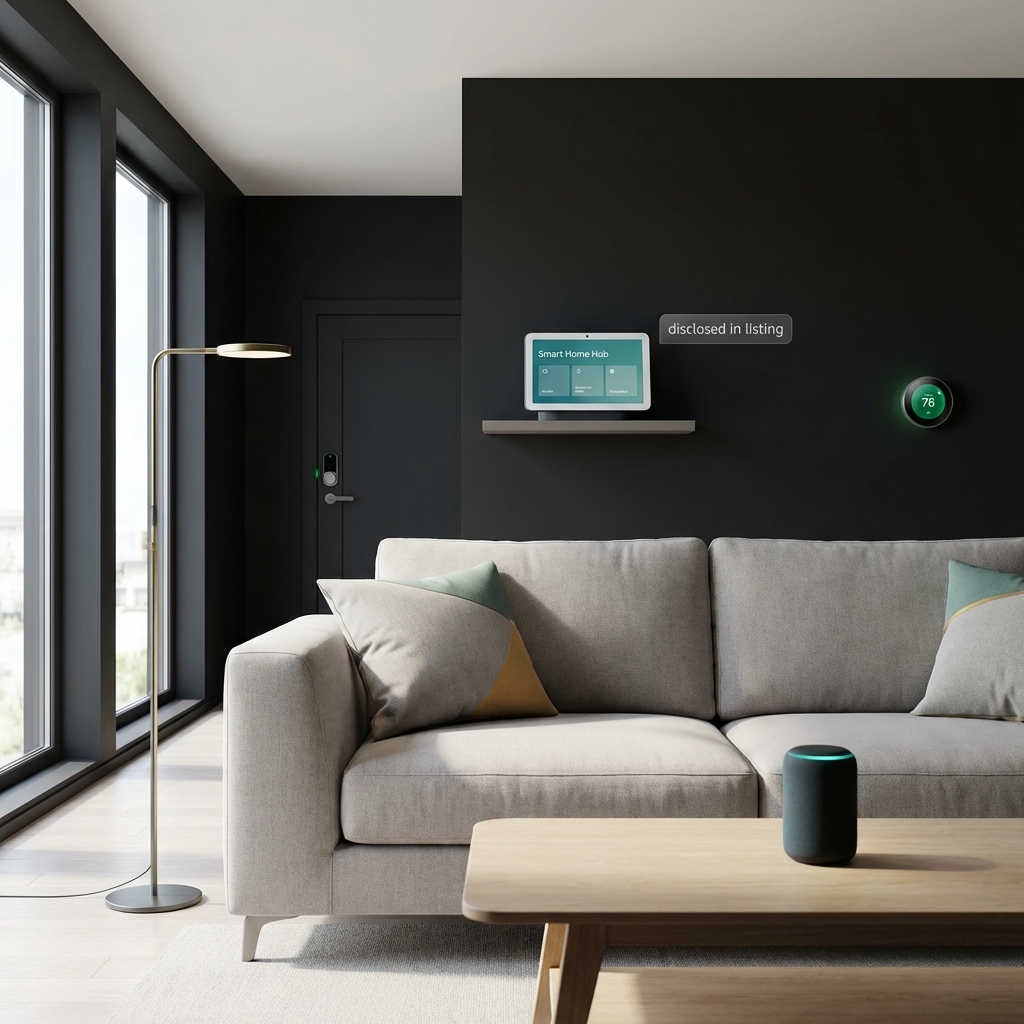
Start with a walk-through audit of the property to find cameras, baby monitors, smart displays, or any smart device that can record or stream. Look in living spaces, entryways, and commonly used appliances that can contain cameras. Removing or disabling indoor or hidden cameras is the recommended first step to meet Airbnb’s policy and reduce legal risk Airbnb Help Center
After the audit, update your listing text to include a short, plain-language disclosure about any permitted devices and their locations, then send a matching pre-arrival message that repeats the same information. A written disclosure and pre-arrival message reduce misunderstandings and make resolving disputes with the platform easier, though they do not replace local legal checks Airbnb Help Center For operational tips, see our real-estate side hustles guide.
If a device must remain for property security and is permitted by Airbnb, ensure it is exterior facing, visible, and described in your listing. Consider removing audio capability if your device supports that option, because audio recording often triggers stronger legal limits than video alone Airbnb Newsroom
Sample disclosure wording and guest messages hosts can adapt
Listing disclosure templates should be brief and descriptive. A simple example: “Visible exterior security camera on the front porch; no cameras inside living areas, bedrooms, or bathrooms.” This kind of line sets guest expectations clearly and follows Airbnb guidance about visibility and disclosure Airbnb Help Center
For pre-arrival messages, repeat the disclosure and invite questions: “Hello, we look forward to hosting you. Please note there is a visible security camera on the front porch. There are no cameras inside private rooms or bathrooms. Let us know if you have questions.” A short, neutral message can help prevent misunderstandings and reduce platform disputes Consumer Reports
Where local law requires additional consent for recordings, consider collecting that consent in a documented way before arrival. If the law is unclear in your area, err on the side of removing indoor recording until you can confirm the rules with local authorities ICO guidance
Decision checklist for hosts and investors, including those learning how to buy airbnb property with no money
Quick decision flow: 1) Is the device indoors? 2) Is it in a private space such as a bedroom or bathroom? 3) Is it visible and described in the listing? If any answer raises concern, remove or relocate the device and update your listing. This flow helps hosts and people thinking how to buy airbnb property with no money decide quickly whether a device is acceptable to keep in an operating listing Airbnb Help Center
If you plan to operate across jurisdictions or who buy remotely, add a verification step: check local recording and data-protection rules before completing a purchase or operating the listing. When in doubt, remove the device or consult local official guidance to reduce the chance of fines or platform sanctions ICO guidance
For investor due diligence, include a low-cost device audit in your pre-purchase checklist so you can estimate the time and expense to make a property compliant. That is especially useful for investors exploring how to buy airbnb property with no money who may have limited funds for retrofits or legal consultation. See how to finance a business purchase.
Host tools and resources to run an audit and document disclosures
A simple tech check includes scanning common hiding places, testing smart speakers and displays, and reviewing router-connected devices to see what hardware is online. Look at device names in your router to identify cameras or streaming units and perform a quick factory reset or disable function when needed Consumer Reports
a short property device audit checklist
Keep one sheet per property
Keeping a disclosure log is low effort and can help if a guest files a complaint. Note device type, location, date of disclosure, and whether the guest acknowledged the message. Save screenshots of listing text and pre-arrival messages so you can show Airbnb how you communicated about devices if needed Airbnb Help Center
Optional tech tools include simple mobile apps that scan for cameras on a local network and browser-based checklists to track audits. Use these as aids, not replacements, for a physical walkthrough that inspects likely hiding spots and confirms device visibility Consumer Reports
Common host mistakes and pitfalls that lead to complaints
Failing to disclose visible devices in the listing or messages is a frequent source of disputes and platform enforcement. A visible camera mentioned nowhere in the listing can trigger a guest report and lead to listing takedown or other account actions Airbnb Newsroom
Leaving devices aimed at private spaces, or using hidden cameras, is the most serious error and creates both platform and legal exposure. Even well-intentioned security measures can backfire if they infringe on guest privacy expectations Airbnb Help Center
Assuming platform disclosure alone protects you is also an error. Many legal regimes require transparency and sometimes consent, so disclosure helps with platform disputes but does not replace checking local laws for recording and data rules ICO guidance
If a guest reports an undisclosed camera, Airbnb can remove the listing or suspend the host account pending investigation. Hosts should be prepared to document audits, disclosure text, and any corrective steps taken to respond to platform inquiries Airbnb Help Center
Local legal consequences vary by jurisdiction and can include civil claims or criminal charges, especially for secret recordings in private spaces. The exact outcome depends on state or national law and the circumstances of the recording, so handle reports with caution and seek local guidance when necessary EFF privacy overview
Media coverage and consumer groups noted increased scrutiny of camera issues after Airbnb’s 2024 policy change, which means hosts should expect attentive enforcement and prepare documentation if a complaint arises Consumer Reports. Local news reporting such as AZCentral and survey coverage at SecuritySales provide additional context.
Examples and scenarios: common setups and recommended responses
Example 1: visible external security camera on a porch. Typical response: keep the device visible, state its location in the listing, and remove audio capture if possible. This setup is commonly permitted by platform rules if properly disclosed Airbnb Help Center
Example 2: smart device in a living room. If the device can record or stream, place it where guests do not expect privacy, disclose it in the listing, and turn off audio recording features when possible to reduce legal risk Airbnb Newsroom
Example 3: accidental camera in a private room. If a device is discovered in a bedroom or bathroom, remove it immediately, notify the guest, and document the removal and any refunds or remedial steps you take. Quick, documented action can reduce both platform and legal consequences Consumer Reports
Cross-border stays and unresolved policy questions hosts should watch
One open question is how national regulators will treat platform-level bans for stays that cross borders. EU and UK regulators focus on personal data treatment, while U.S. state rules vary, which creates gray areas for hosts and guests on international bookings ICO guidance
There is limited centralized data on enforcement actions specifically against hosts for cameras, so monitoring policy updates from Airbnb, local authorities, and consumer groups is important for hosts who operate across borders. Keep an eye on official guidance and news summaries to stay current Airbnb Newsroom
A short pre-checklist hosts can use before every guest arrives
Five quick actions to run in under 10 minutes: 1) Walk the property and confirm no hidden or indoor cameras remain; 2) Check common device locations such as smoke detectors, clocks, and smart displays; 3) Verify listing text includes any permitted visible devices; 4) Send the pre-arrival disclosure message; 5) Save screenshots of the listing and sent message for records Airbnb Help Center
How to document the check: keep a short log entry for each guest that notes the date, person who inspected, devices found or removed, and the confirmation that listing text was up to date. Store screenshots and the log in a folder tied to each property for quick retrieval if Airbnb asks for proof.
Conclusion: balancing property safety and guest privacy
Key takeaways: Airbnb bans indoor security cameras and requires disclosure for permitted devices, but local laws still matter. Hosts should remove hidden or indoor cameras, clearly disclose visible devices, and keep records of audits and pre-arrival messages to reduce platform disputes Airbnb Help Center
Next steps for cautious hosts: run a device audit, update your listing text with clear disclosures, save screenshots of messages and listing copy, and check local rules if you operate in more than one jurisdiction. Use this guide as an educational starting point and confirm legal questions with official local sources.
Yes, visible exterior cameras are generally allowed if disclosed in the listing and not aimed at private indoor spaces, but you should confirm local data or recording laws before relying on them.
Listing disclosure reduces platform disputes but does not replace legal compliance; some jurisdictions require consent or have stricter rules on audio recording.
Remove the device immediately, notify the guest, document your actions, and contact Airbnb for guidance; consult local authorities if you believe laws were broken.
For routine hosting, a simple audit and clear disclosure are low-cost steps that reduce risk and build guest trust.
References
- https://www.airbnb.com/help/article/460
- https://news.airbnb.com/airbnb-updates-security-camera-policy/
- https://www.consumerreports.org/privacy/airbnb-cameras-in-rentals-what-to-know-a9213456789
- https://ico.org.uk/for-the-public/using-cctv/
- https://www.eff.org/issues/privacy
- https://financepolice.com/advertise/
- https://financepolice.com/homes-for-sale-under-100k
- https://financepolice.com/real-estate-side-hustles
- https://financepolice.com/how-to-finance-a-business-purchase
- https://www.guesty.com/blog/airbnb-camera-policy-for-hosts/
- https://www.azcentral.com/story/news/local/scottsdale/2025/04/10/scottsdale-airbnb-guest-sues-over-hidden-camera/83016663007/
- https://www.securitysales.com/news/47-of-americans-cameras-vacation-rental/613849/


You May Also Like

UK and US Seal $42 Billion Tech Pact Driving AI and Energy Future

Things No One Told You About White Label Crypto Exchange Software