

How to add Arbitrum to MetaMask wallet?
This article will elaborate on how to add Arbitrum to the MetaMask wallet. Arbitrum is a famous blockchain for completing platforms and relaying all transaction information to the main Ethereum blockchain. Let’s know the simplified process and get started.
Summary
- Arbitrum is a 2-layer solution for Ethereum; it currently holds 2.5billion assets and 3 million successful transactions, which makes the network a reliable source for Ethereum.
- There are two ways to connect the Arbitrum to the MetaMask wallet, first using Arbitrum and second manually.
- Arbitrum is a famous blockchain platform for completing platforms and relays all transaction information.
- Chain ID to connect with the Arbitrum: 42161
How to add Arbitrum to the MetaMask wallet?
- Login or signup to the MetaMask account and head over to the top right section of the page
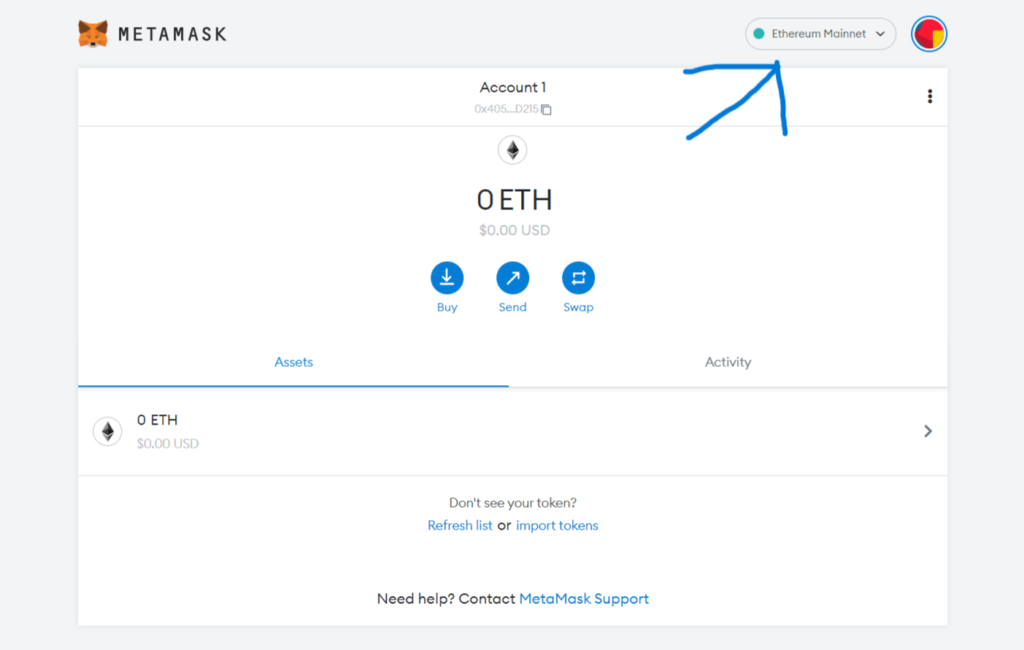 Login
Login
- Open your MetaMask and click “Ethereum Mainnet” at the top. Then, select add network.
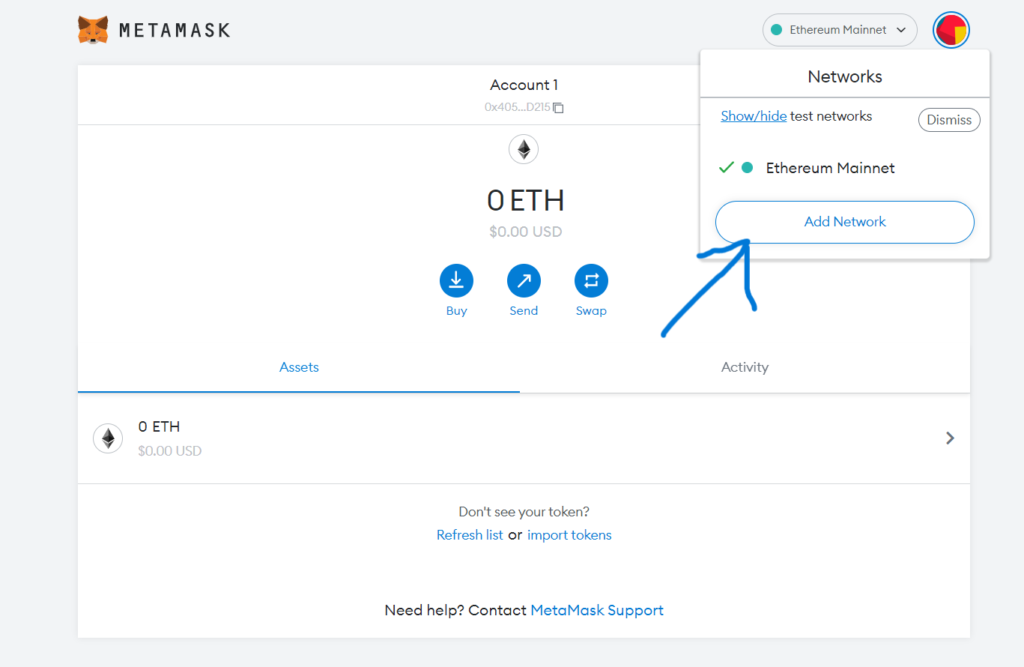 Select add network
- Then it will lead the user to the add network page where the user can add their desired network details to add on MetaMask wallet.
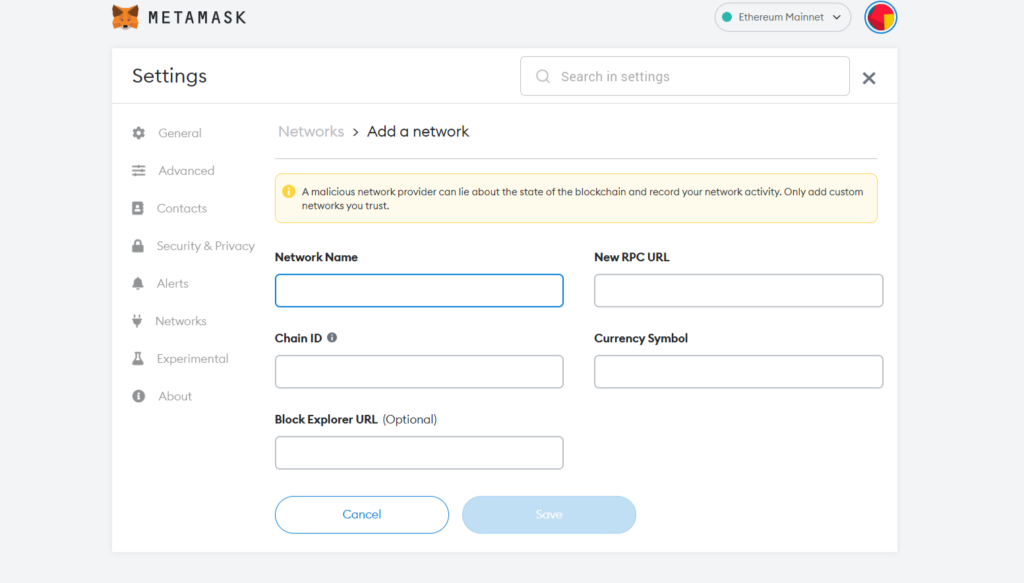 Add network details
- Then click on save, and now the user can see that the Arbitrum network has been added to the meta mask wallet;
- Network Name: Arb1
- RPC: https://arb1.arbitrum.io/rpc
- Chain ID: 42161
- Currency Symbol: ETH
- Block Explorer URL: https://arbiscan.io
Now users can bridge the Ethereum and discover the Arbitrum’s Dapps.
How to Bridge assets from Ethereum to Arbitrum?
- Firstly users have to visit bridge arbitrum
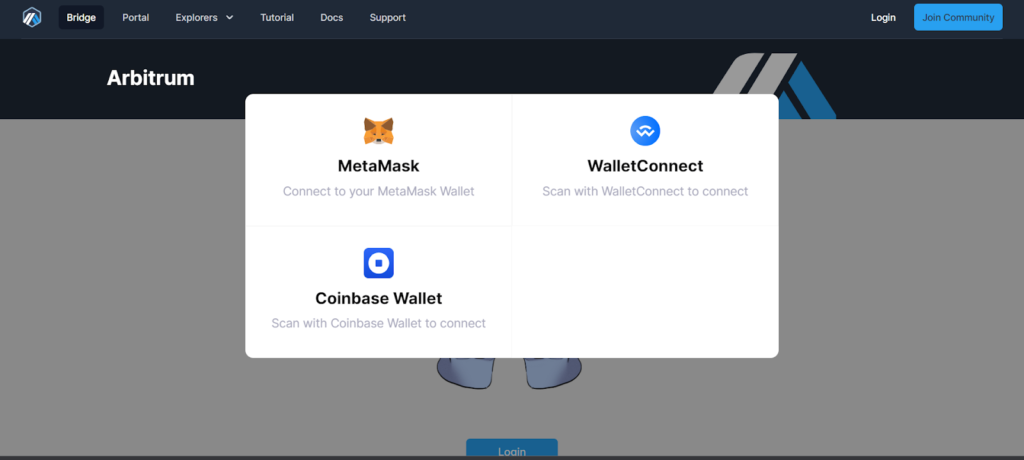 Visit Bridge Arbitrum
- The user now has to select the MetaMask wallet, and then a popup will open on Metamask where users have to sign in.
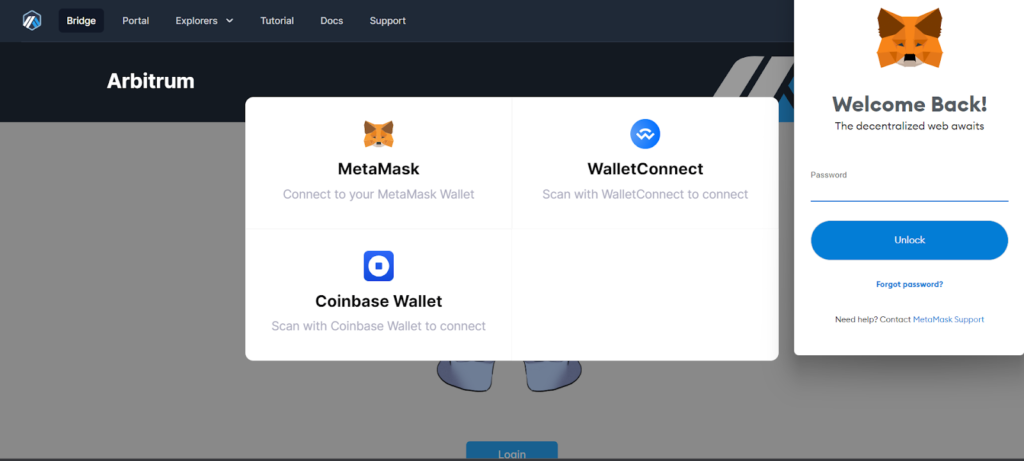 Select MetaMask Wallet
- After signing in to MetaMask wallet, the user will redirect to a new page where the user has to see the account they want to bridge.
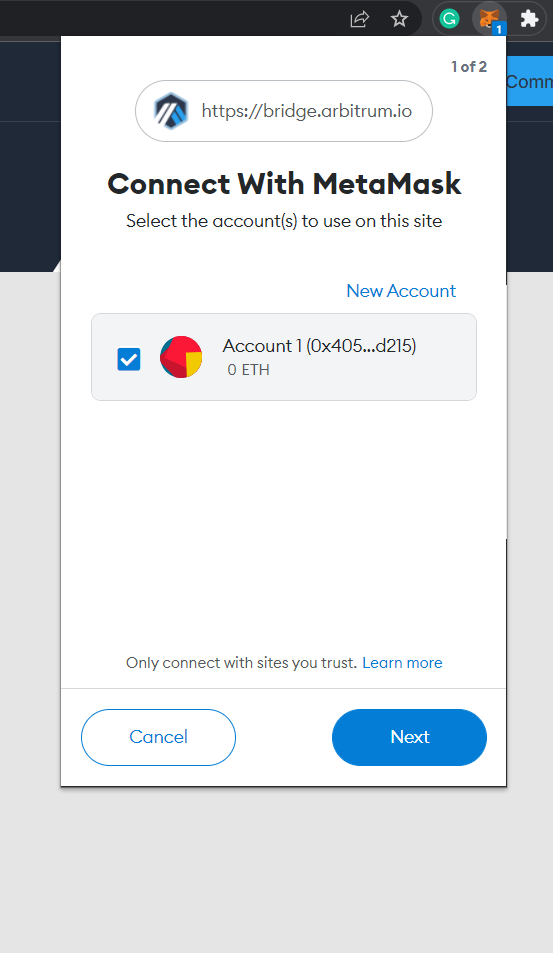 Account Details
- After selecting it, click on next and then continue. Then MetaMask wallet will show that Arbitrum is connected to the MetaMask wallet.
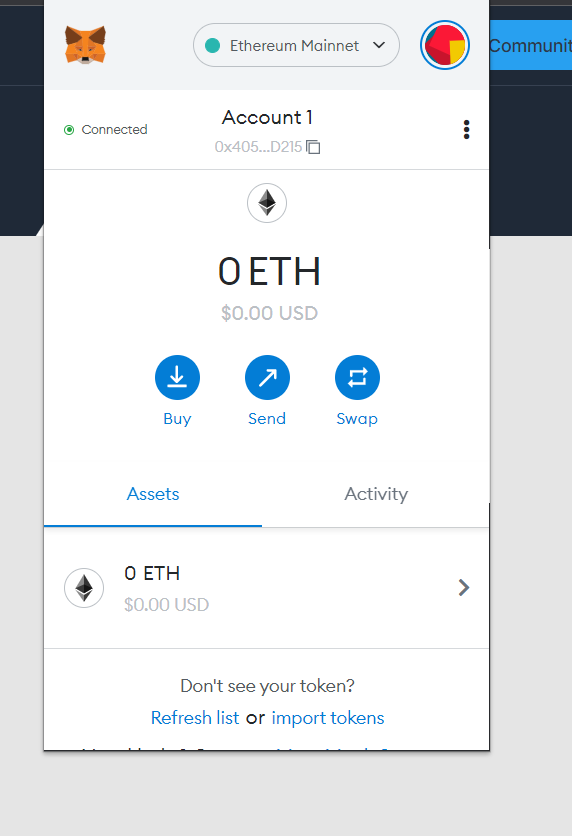 Arbitrum is connected to the MetaMask wallet
- Now, the Arbitrum is connected to the MetaMask wallet user can buy, send, and swap cryptocurrency, but now users visit bridge.arbitrum.io
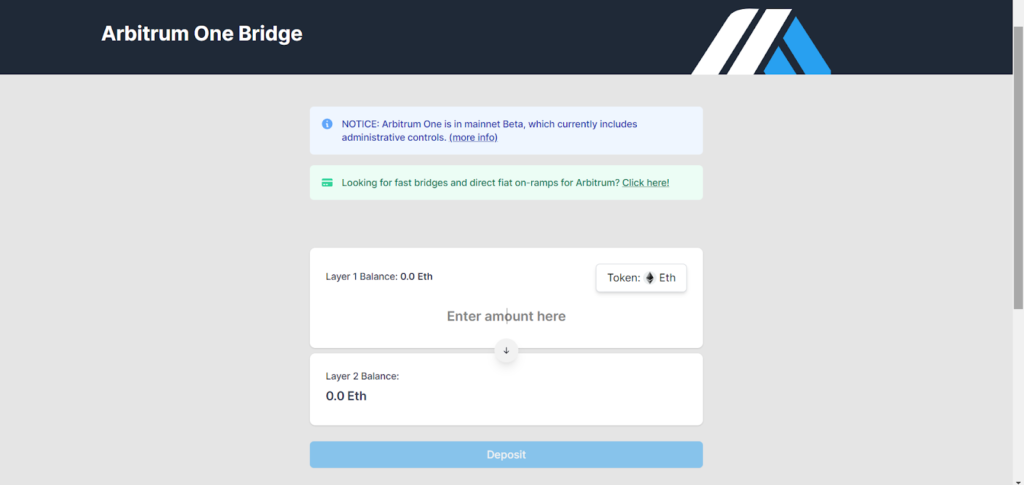 Buy, send, and swap cryptocurrency
- The user can now enter ETH/token, which the user wants to bridge over in the L1 Section, and then press deposit.
- After submitting the transaction through Metamask, users can now expect your funds to receive on Arbitrum one within roughly ten minutes to an hour.
- Also, the user should make sure that the Metamask wallet is set to Arbitrum one network so the user can see funds and when they get added.
Conclusion
Arbitrum is a well-structured platform that transfers Ethereum to wallets. And the process of connecting Arbitrum to Metamask wallets is relatively hassle-free. Connecting Metamask wallets lets users get MetaMask wallets’ benefits like low transaction fees and simple onboarding.
Frequently Asked Questions
What is an Arbitrum bridge?
Arbitrum Bridge works as a connection between meta mask wallet and Arbitrum to migrate Ethereum to Arbitrum one.
Does MetaMask wallet have an app for PC?
No, MetaMask wallet doesn’t have any app for PC Or Laptops, but the users can use metamask wallet’s extension straight from the google chrome extension store.
What is a MetaMask wallet?
Yes, MetaMask is considered a perfect beginner wallet for someone only interested in Ethereum because it is an ethereum oriented wallet.
Also read,
- MetaMask Phishing Scam
- How to Delete a Metamask Account?
- How to get a KCC Address using MetaMask Wallet?
- How to Connect Polygon Network to Metamask?
- Hardware Wallets and Metamask are being Compromised


추천 콘텐츠

Epstein survivor condemns Trump DOJ failure in fiery testimony

GOP senators reject Trump's gas tax plan using the exact argument they hated in 2022




