How to Transfer USDT from Binance to MEXC?
Transferring USDT (Tether) from Binance to MEXC is a straightforward process that requires careful attention to network selection and address verification. This comprehensive guide walks you through every step of the transfer process, from obtaining your MEXC deposit address to confirming successful receipt of funds.
- Always match the network on both platforms (TRC20, BEP20, or ERC20)
- Start with a small test transaction to verify everything works correctly
- TRC20 offers the best balance of speed and low fees for most users
- Double-check addresses before confirming any withdrawal
- Transfer times typically range from 1-30 minutes depending on network choice
1.Introduction to transferring USDT from Binance to MEXC
1.1 Why Transfer Between Exchanges?
1.2 About USDT (Tether)
- Maintains stable $1.00 value through reserve backing
- Available on multiple blockchain networks
- High liquidity across all major exchanges
- The most widely used stablecoin for crypto trading
- Faster and cheaper to transfer than fiat currency
1.3 Understanding the Transfer Process
- Withdrawing USDT from your Binance wallet to blockchain
- Sending it through the blockchain network to a specific address
- Having MEXC detect and credit the incoming transaction to your account
2.Step-by-Step Transfer Guide
2.1 Phase 1: Obtaining Your MEXC Deposit Address
- Visit the official MEXC website
- Click the "Log In" button in the top right corner
- Enter your email address and password
- Complete 2FA verification if enabled
- Verify you're on the legitimate MEXC site (check URL, security certificate)
- Once logged in, hover over "Assets" in the top menu
- Click "Deposit" from the dropdown menu
- Alternatively, click on "Wallet" and then select "Deposit"
- You should now see the deposit interface
- In the coin search box, type "USDT"
- Click on USDT from the results (you'll see multiple USDT options)
- Make sure you select regular "USDT" (not USDТ or other variants)
- The deposit interface for USDT will open
- You'll see a dropdown menu showing available networks
- Network options typically include:
- USDT-TRC20
- USDT-BEP20 (BSC)
- USDT-ERC20
- Other networks
- Choose your preferred network (recommend TRC20 for most users)
- Write down or screenshot which network you selected
- After selecting the network, MEXC will display your deposit address
- This is a long string of letters and numbers (example: TXYZabc123def456...)
- Click the "Copy" button next to the address
- Alternative: Manually write down the entire address and triple-check it
- Some platforms show a QR code - you can use this with mobile apps
- Screenshot the entire screen showing:
- The coin (USDT)
- The network selected (e.g., TRC20)
- The deposit address
- The date/time
- Verify the address was copied correctly by pasting it into a notepad
- Count the characters (TRC20 addresses typically start with "T" and are 34 characters)
- Keep this window open or save the information securely
- TRC20: Starts with "T" (e.g., TXYZabc123...)
- BEP20: Starts with "0x" (e.g., 0x1234...)
- ERC20: Starts with "0x" (e.g., 0x5678...)
2.2 Phase 2: Withdrawing USDT from Binance
- Go to Binance official website
- Click "Log In" and enter your credentials
- Complete 2FA verification
- Ensure you're on the legitimate Binance website
- Click on "Wallet" in the top right corner
- Select "Fiat and Spot" from the dropdown menu
- You'll see your complete asset list
- Locate USDT in the list (use the search function if needed)
- Find USDT in your wallet list
- Click "Withdraw" next to your USDT balance
- The withdrawal interface will open
- Ensure you have sufficient USDT balance
- You'll see two options: "Send via Crypto Network" and "Send via Email/Phone"
- Click "Send via Crypto Network"
- The network selection interface appears
- In the "Address" field, paste your MEXC deposit address
- Triple-check the address - compare first 4 and last 4 characters minimum
- Binance may show a warning if it detects a new address
- Some addresses can be saved to whitelist for future use
- First characters: verify they match
- Last characters: verify they match
- Middle section: Spot-check random characters
- Length: Ensure the full address was pasted
- Click the "Network" dropdown menu
- You'll see all available networks for USDT:
- TRC20
- BEP20 (BSC)
- ERC20 (Ethereum)
- Others
- Select the EXACT SAME network you chose on MEXC
- Binance will show expected arrival time and network fee
- Binance shows the withdrawal fee
- Displays estimated processing time
- Shows minimum withdrawal amount
- May warn about network congestion
- In the "Amount" field, enter how much USDT to send
- Options:
- Type the exact amount you want to send
- Click "Max" to send everything (minus fees)
- Leave some USDT for future trading/fees
- Binance shows:
- Amount you'll send
- Network fee
- Amount recipient will receive
- You want to send: 100 USDT
- Network fee (TRC20): 1 USDT
- You need a wallet: 101 USDT
- MEXC will receive: 100 USDT
- Copy the address from the Binance form
- Compare with your saved MEXC address
- Check character-by-character
- MEXC selected network: [Your choice]
- Binance selected network: [Should be identical]
- Both must be 100% the same
- Sending amount is correct
- Fee is acceptable
- Sufficient balance exists
- Click the "Withdraw" button
- Binance will initiate security verification
- You'll need to confirm via:
- Email verification code
- SMS code (if enabled)
- Google Authenticator/2FA code
- Potentially additional security questions
- Check your email inbox
- Look for Binance withdrawal confirmation
- Click the confirmation link or enter the code
- Code typically expires in 10 minutes
- Open your authenticator app
- Find your Binance code
- Enter the 6-digit code in Binance
- Code refreshes every 30 seconds
- Wait for SMS from Binance
- Enter the code provided
- May take 1-2 minutes to arrive
- After all verifications, click the final "Confirm" button
- Binance will process your withdrawal request
- You'll see a success message
- Withdrawal appears in your transaction history
- Go to "Wallet" → "Transaction History"
- Filter by "Withdraw"
- Find your USDT withdrawal
- Status will show:
- "Processing" - Binance is preparing the transaction
- "Pending" - Waiting for blockchain confirmations
- "Completed" - Transaction successful
2.3 Phase 3: Monitoring the Transfer
- Click on your withdrawal in transaction history
- Binance provides:
- Transaction ID (TxID)
- Timestamp
- Amount sent
- Network used
- Current status
- Blockchain explorer link
- Click the blockchain explorer link in Binance
- Or go to tronscan.org
- Paste your transaction ID
- You'll see:
- Confirmation status
- Block number
- Timestamp
- From/To addresses
- Amount transferred
- Visit bscscan.com
- Search your transaction ID
- View confirmation progress
- Check transfer details
- Go to etherscan.io
- Enter transaction ID
- Monitor gas prices and confirmations
- View detailed transaction data
- TRC20: Usually 19 confirmations (~1 minute)
- BEP20: Usually 15 confirmations (~45 seconds)
- ERC20: 12-64 confirmations depending on amount (~3-15 minutes)
- 0/19: Transaction just broadcast
- 10/19: More than halfway
- 19/19: Fully confirmed and credited
- Log into your MEXC account
- Go to "Assets" → "Deposit History"
- Look for your USDT deposit
- Status indicators:
- "Pending": Awaiting confirmations
- "Processing": MEXC credits your account
- "Completed": Funds available
- Once status shows "Completed"
- Go to your MEXC spot wallet
- Check USDT balance
- Verify the correct amount was credited
- Amount should match what you sent minus network fees
2.4 Phase 4: Post-Transfer Verification
- Check MEXC spot wallet USDT balance
- Compare with expected amount
- Verify transaction appears in deposit history
- Save screenshot of successful deposit
- Transaction ID from blockchain
- Screenshot of Binance withdrawal
- Screenshot of MEXC deposit
- Date and time
- Amount sent and received
- Network used
- Total fees paid
- Verify everything worked correctly
- Check the actual fees paid
- Note the total time taken
- Now you can proceed with larger amounts confidently
3.Understanding USDT and Transfer Networks
3.1 What Are Blockchain Networks?
3.2 Available Networks for USDT
- Very low transaction fees (typically 1 USDT or less)
- Fast confirmation times (1-3 minutes average)
- High transaction throughput
- Energy-efficient consensus mechanism
- Widely supported across exchanges
- Slightly less decentralized than Ethereum
- Newer network with less historical track record
- Limited smart contract ecosystem compared to Ethereum
- Low transaction fees (around 0.5-1 USDT)
- Very fast confirmations (3-5 seconds per block)
- Native to Binance ecosystem
- Growing DeFi ecosystem
- Compatible with Ethereum tools
- More centralized than other options
- Dependent on Binance infrastructure
- Less widely adopted than TRC20 or ERC20
- Most decentralized and secure option
- Largest smart contract ecosystem
- Widest acceptance across platforms
- Strongest network security
- Most liquidity in DeFi protocols
- Highest transaction fees (can range from 5 to 50+ during congestion)
- Slower confirmation times during network congestion
- Variable gas prices make costs unpredictable
3.3 How to Choose the Right Network
- Small transfers ($100-500): Use TRC20 or BEP20 to minimize fee impact
- Medium transfers ($500-5,000): TRC20 offers best value
- Large transfers ($5,000+): Any network works; consider ERC20 for maximum security
- Need it immediately: BEP20 or TRC20 (1-5 minutes)
- Can wait: Any network is fine
- No rush: ERC20 during low gas periods can save money
- Regular transfers: TRC20 for consistent low fees
- Occasional transfers: Any network based on current fees
- One-time large transfer: ERC20 for peace of mind
- Always verify that both Binance and MEXC support your chosen network
- Check current deposit/withdrawal status (networks can be temporarily suspended)
FAQ - Frequently Asked Questions
General Transfer Questions
- TRC20: Typically 1-5 minutes (can take up to 15 minutes during congestion)
- BEP20: Typically 1-5 minutes (very fast due to 3-second blocks)
- ERC20: Typically 5-30 minutes (can extend to 1-2 hours during high gas prices)
- Verify addresses carefully
- Use the correct network
- Do a test transaction first
- Enable all security features
- Use established networks (TRC20, BEP20, ERC20)
- Breaking into multiple transfers
- Using ERC20 for maximum security
- Transferring during low-traffic periods
- Having customer support standing by
- Contact both exchange support teams immediately
- Provide complete transaction details
- Some platforms can recover for a fee (usually 10-50 USDT)
- Success is not guaranteed
- Process can take weeks or months
Conclusion
热门加密动态
查看更多
SEC代币化美股豁免落地,Coinbase等或率先受益【MEXC Alpha Trader-行业日报(2026.09.21)】
一、宏观与市场情绪 行情数据:BTC $81,015(-0.06%)|ETH $2,656(+1.44%)|SOL $111(+0.94%) 市场情绪:资金费率 +0.0070%|恐惧贪婪指数 70(贪婪) 货币供应:美国7月M2同比增5.41%至23.22万亿美元,为2022年年中以来最快增速。延伸阅读 债务发行:华尔街预计美国将发行约1万亿美元短期债务,借贷成本攀升背景下,大规模短债供给或收紧

9月18日美股盘前报告:英特尔超预期7.08个百分点,点阵图4.1%制约AI算力估值
上一个交易日是 9 月 17 日(周四)。三大指数集体反弹:纳斯达克综合涨 1.69% 收 26,418.30 点、标普 500 涨 1.13% 收 7,637.05 点、道琼斯工业涨 0.61% 收 51,778.04 点——周三加息当天先跌,周四全数收回还有余。今日焦点是英特尔(INTC),单日涨 7.67% 收 108.80 美元,市值一天多出 391 亿美元;当天纳斯达克半导体行业均涨只有

Generac股价暴涨18%背后的真相:亚马逊24亿美元数据中心订单解析
概述 随着生成式人工智能基础设施的电力瓶颈全面爆发,华尔街的投资视线已从芯片算力快速转向底层电力设备供应。备用电源与微电网制造龙头 Generac Holdings 股票在 纽约证券交易所 单日暴涨超过 18%,盘中交易量放大至日常均值的三倍以上。推动这一轮估值重构的核心催化剂,是云计算巨头 Amazon 旗下云计算部门 Amazon Web Services 与 Generac 达成了总额预计达

热门新闻
查看更多
特斯拉2026年第二季度财报日期:发布时间、网络直播及关键指标
特斯拉2026年第二季度财报定于2026年7月22日(星期三)美国股市收盘后发布,管理层计划于美国中部时间下午4:30 / 东部时间下午5:30主持实时Q&A网络直播。第二季度的更新和网络直播将通过特斯拉的投资者关系网站提供,并在电话会议后提供存档重播。 这不仅仅是另一个普通的特斯拉财报日。特斯拉已经报告了超预期的交付季度:在2026年第二季度,公司生产了451,758辆汽车,交付了480,126
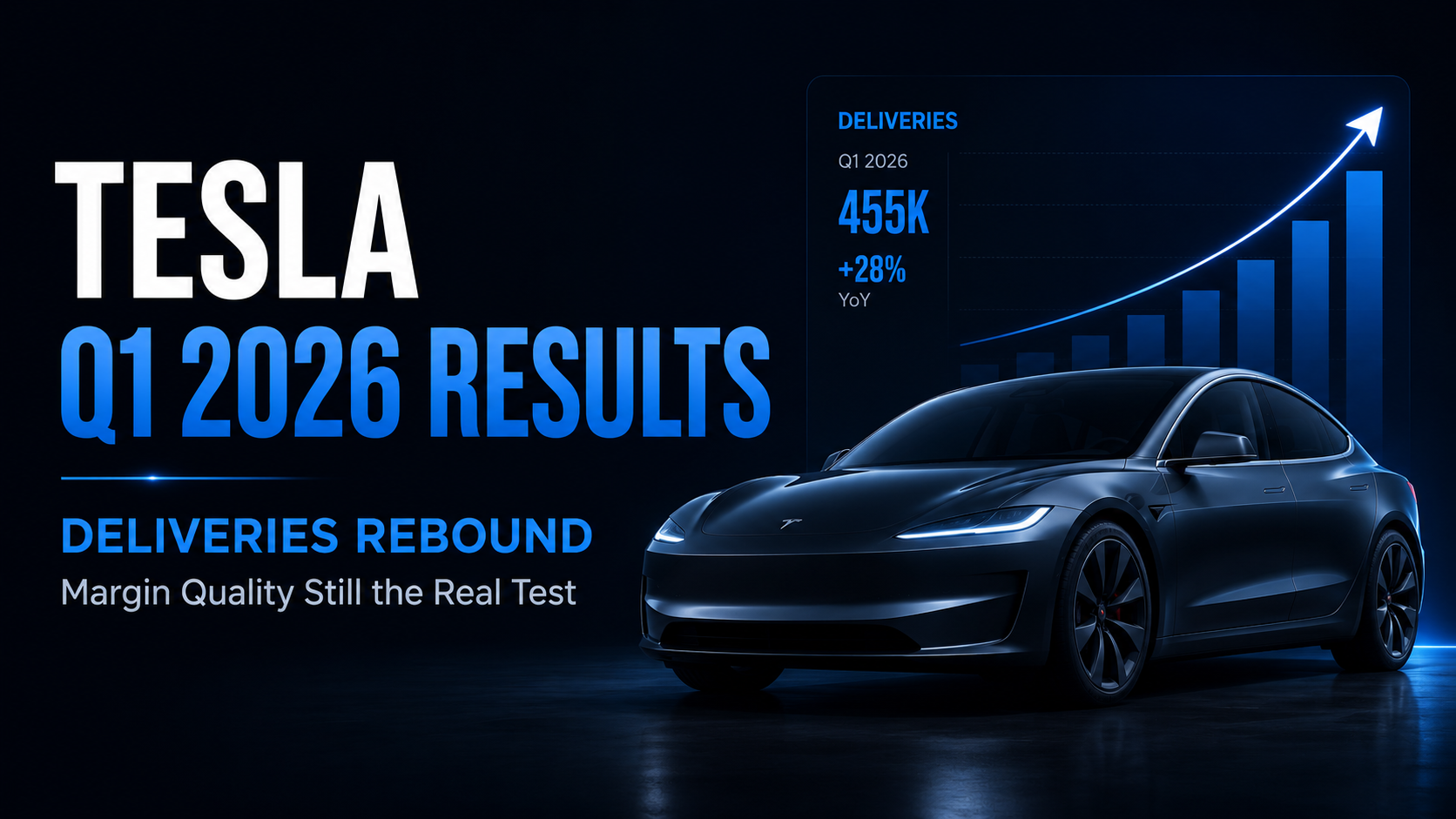
特斯拉2026年第一季度财报回顾:交付量反弹,但利润率质量仍是真正的考验
特斯拉于2026年4月22日美国股市收盘后公布了其2026年第一季度的财务业绩。该公司本季度交付了358,023辆汽车,创造了224亿美元的总营收,并报告归属于普通股股东的GAAP净利润为4.77亿美元。总GAAP毛利率提升至21.1%,而营业利润率达到4.2%。 核心信号不仅在于特斯拉的交付量从去年同期的疲软基数中恢复。更重要的问题是:更高的交付量、FSD相关营收、更低的单车成本以及改善的汽车毛

相关文章
查看更多
如何使用 AI 进行加密货币市场分析
加密货币市场分析远不只是判断比特币或其他资产的价格是在上涨还是下跌。交易者通常需要同时理解价格结构、成交量、波动率、技术指标、市场新闻、板块趋势以及推动行情变化的更广泛背景。真正的难点在于,这些信号很少是孤立存在的。一次快速上涨可能伴随着成交量增加和利好消息,也可能发生在流动性不足、缺乏明确催化因素的市场中;一个偏空的技术信号出现时,整体市场可能仍然保持强势;一项重大公告看起来可能构成利好,但相关
什么是 AI 交易助手?交易者可以如何使用?
人工智能正在改变交易者与金融市场信息之间的交互方式。过去很长一段时间里,使用交易工具通常意味着需要在多个界面之间不断切换:打开图表、搜索新闻、查看技术指标、比较不同资产、检查持仓情况,并手动配置订单或交易策略。AI 带来了一种不同的交互模式。用户不再需要先找到每一个具体功能,而是可以直接通过自然语言表达自己的问题和交易需求。AI 可以进一步帮助整理相关信息、解释市场环境、分析交易场景,并在产品支持
如何使用 AI 寻找加密货币交易机会
加密货币市场每天都会产生远超个人交易者处理能力的信息。市场全天候运行,价格持续波动,交易量不断变化,新的市场叙事快速出现,而新闻事件或社交媒体上的信息甚至可能在几分钟内影响市场情绪。因此,对于交易者来说,真正的挑战并不只是获取信息,而是判断:哪些市场变化值得关注,哪些只是短期噪音。人工智能可以帮助解决这一问题。AI 能够处理大量市场信息,对不同信号进行整理,识别异常变化,并帮助交易者更高效地筛选潜