

Chowa Widgets: Smarter Writing at Your Fingertips

Earlier this year, we introduced Chowa (pronounced like "flow-a")—our collaborative text editor built for real-time teamwork. Chowa lets writers co-author stories seamlessly, leaving comments, suggesting edits, and working together in one shared space. It's been a game-changer for teams who want to write together without the chaos of endless email threads and version control nightmares. Now, we're taking it a step further by giving you widgets!
Chowa Widgets and new Chowa tools are now live! The editor is now full-height, smoother, with CSS tweaks, and the comments section is upgraded so you can leave all your notes for co-authors. All icons in the Chowa Toolbar now come from the Pixelated Library, giving that classic HackerNoon look. But the real upgrades? Those are the widgets.
\
Let’s Talk About Chowa Widgets
-
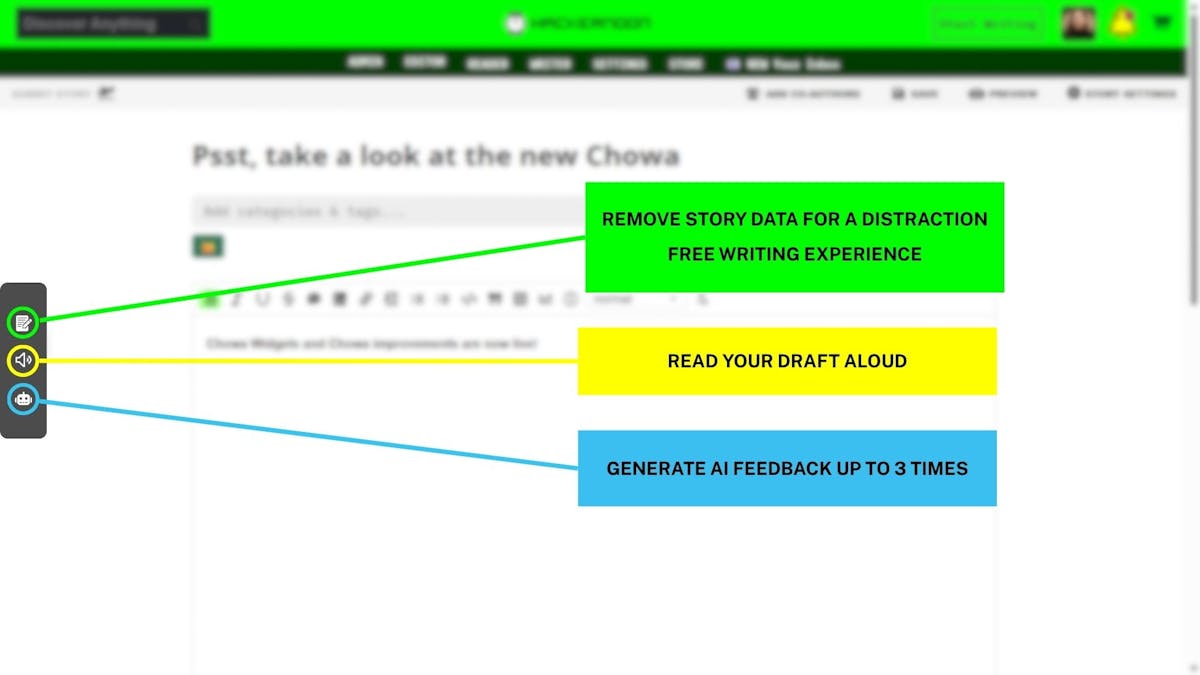
Writing Mode: Removes story data for distraction-free writing.
-
Read Aloud: Hear your draft with a single click using your browser's synthetic speech API.
-
AI Feedback: Generate up to three AI suggestions per draft (minimum 200 words) and get actionable tips to improve your story.
\ That’s not all. We’ve also improved how you can illustrate your data on HackerNoon stories with Graphs and Charts. To add one:
-
Click the graph icon at the top of the Chowa toolbar
-
Add your data
-
Customize the format - switch between line, bar, pie, or area charts
\
:::tip Learn more about Chowa here.
Start writing with Chowa today!
:::
\
You May Also Like

PENDLE at $1: Can Bulls Clear the Next Key Barrier?

Unleashing A New Era Of Seller Empowerment
