MEXC spot trading has launched the Quick Order feature on the K-line chart, allowing you to place limit orders directly from the K-line chart. You can use this feature no matter which version of theMEXC spot trading has launched the Quick Order feature on the K-line chart, allowing you to place limit orders directly from the K-line chart. You can use this feature no matter which version of the
เรียนรู้/Trading Guide/Spot/How to Spot...-Line Chart

How to Spot Trade from the K-Line Chart

Jul 16, 2025MEXC
0m
Quickswap
QUICK$0.009464+0.63%
Polytrade
TRADE$0.04305+3.83%
Orderly Network
ORDER$0.0379+4.12%

MEXC spot trading has launched the Quick Order feature on the K-line chart, allowing you to place limit orders directly from the K-line chart.

You can use this feature no matter which version of the K-line chart you prefer (Original or TradingView). Regardless of the K-line chart version you're most accustomed to, this feature is used the same for both. In this article, we will use the Original K-line chart for demonstration purposes. Currently, this feature is only available on the website and is not supported in multi-chart view.

1. How to Place Quick Orders on the K-Line Chart


Open and log in to the MEXC official website, move the cursor to "Spot" in the top navigation bar and select [Spot] from the dropdown list to access the trading page.

On the trading page, above the K-line chart, check "Quick Order" in Display settings to enable the Quick Order feature on the K-line chart.


2. How to Quickly Create Limit Buy Orders on the K-Line Chart


After enabling the Quick Order feature, move the cursor to the K-line chart, and a [⊕] icon will appear on the right side. When the cursor is positioned below the current last price, click the [⊕] icon to reveal the [Limit Buy] button.

Enter the desired buy quantity, then click the green [Limit Buy] button to place the limit buy order. A pop-up window will appear, indicating successful order placement, as shown in the animation below.


To view the limit buy order you just placed, scroll down the page and check the "Open Orders" section.

3. How to Quickly Create Limit Sell Orders on the K-Line Chart


If the cursor is positioned above the current last price, click the [⊕] icon to reveal the [Limit Sell] button. Enter the desired sell quantity, then click the red [Limit Sell] button to place the limit sell order. A pop-up window will appear, indicating successful order placement, as shown in the animation below.


To view the limit sell order you just placed, scroll down the page and check the "Open Orders" section.

Placing limit orders on the K-line chart allows users to monitor current market price changes and enhance order efficiency. Currently, spot trading only supports limit order placement on the K-line chart. If you want to execute more complex trading strategies, you need to proceed to the order panel.

Disclaimer: This information does not provide advice on investment, taxation, legal, financial, accounting, consultation, or any other related services, nor does it constitute advice to purchase, sell, or hold any assets. MEXC Learn provides information for reference purposes only and does not constitute investment advice. Please ensure you fully understand the risks involved and exercise caution when investing. The platform is not responsible for users' investment decisions.


โอกาสทางการตลาด
Quickswap โลโก้
ราคา Quickswap(QUICK)
$0.009464
$0.009464$0.009464
+3.07%
USD
Quickswap (QUICK) กราฟราคาสด

บทความยอดนิยม

ดูเพิ่มเติม
คู่มือฉบับสมบูรณ์เกี่ยวกับการซื้อขาย Crypto P2P: อธิบายตรรกะการชำระเงิน โครงสร้างค่าธรรมเนียม และการฝากสินทรัพย์

คู่มือฉบับสมบูรณ์เกี่ยวกับการซื้อขาย Crypto P2P: อธิบายตรรกะการชำระเงิน โครงสร้างค่าธรรมเนียม และการฝากสินทรัพย์

การซื้อขาย P2P คืออะไร? P2P ย่อมาจาก peer-to-peer หรือที่เรียกกันทั่วไปว่าการซื้อขายโดยตรง ในบริบทของสกุลเงินดิจิทัล การซื้อขาย P2P หมายถึงการที่ผู้ใช้ซื้อและขายสินทรัพย์ดิจิทัลโดยตรงระหว่างกัน ภายใต้
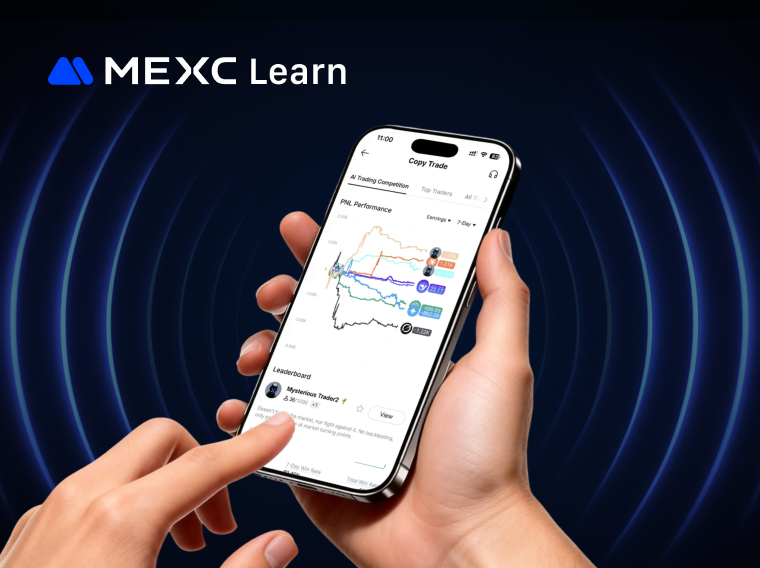
MEXC AI Model Copy Trade คืออะไร?

MEXC AI Model Copy Trade คืออะไร?

1. AI Model Copy Trade คืออะไร? AI Model Copy Trade เป็นฟีเจอร์ Copy Trade อัจฉริยะที่เปิดตัวโดย MEXC ซึ่งช่วยให้คุณสามารถติดตามโมเดล AI เพื่อการเทรดอัตโนมัติได้อย่างง่ายดาย แพลตฟอร์ม MEXC นำเสนอโมเดล
MEXC Copy Trade Tutorial (เว็บไซต์)

MEXC Copy Trade Tutorial (เว็บไซต์)

การซื้อขายแบบคัดลอกคือกระบวนการจำลองการซื้อขายที่นักเทรดรายอื่นทำไว้ รวมถึงการดำเนินการทั้งหมดของพวกเขาด้วย ในบทความนี้ เราจะสาธิตกระบวนการคัดลอกการซื้อขายโดยใช้เว็บไซต์ 1. วิธีการคัดลอกการซื้อขาย เปิ
ใครควรเป็นผู้เทรดบน MEXC Copy Trade?

ใครควรเป็นผู้เทรดบน MEXC Copy Trade?

ระบบ Copy Trade ของ MEXC มอบฟังก์ชันการเทรดที่เรียบง่ายและเป็นมืออาชีพให้กับทั้งผู้เทรดมืออาชีพและผู้ติดตามทั่วไป ผู้ติดตามสามารถติดตามผู้เทรดมืออาชีพได้อย่างง่ายดาย และเมื่อผู้เทรดเริ่มการเทรด Future

ข่าวที่กำลังมาแรง

ดูเพิ่มเติม
ไทยยกเว้นภาษีกำไรคริปโตถึงปี 2029 เฉพาะธุรกรรมผ่านผู้ประกอบการมีใบอนุญาต

ไทยยกเว้นภาษีกำไรคริปโตถึงปี 2029 เฉพาะธุรกรรมผ่านผู้ประกอบการมีใบอนุญาต

ไทยยกเว้นภาษีเงินได้บุคคลธรรมดาสำหรับกำไรคริปโตที่เข้าเงื่อนไขถึงสิ้นปี 2029 โดยธุรกรรมต้องผ่านผู้ประกอบการสินทรัพย์ดิจิทัลที่มีใบอนุญาต

ก.ล.ต. ไทยเสนอเปิดทางธุรกิจสินทรัพย์ดิจิทัลขอใบอนุญาตอนุพันธ์ผ่านนิติบุคคลเดิม

ก.ล.ต. ไทยเสนอเปิดทางธุรกิจสินทรัพย์ดิจิทัลขอใบอนุญาตอนุพันธ์ผ่านนิติบุคคลเดิม

ก.ล.ต. ไทยเสนอให้ธุรกิจสินทรัพย์ดิจิทัลที่เข้าเกณฑ์ขอใบอนุญาตอนุพันธ์ผ่านนิติบุคคลเดิม พร้อมมาตรการจัดการผลประโยชน์ทับซ้อน


ครม.ไทยเห็นชอบหลักการขยายกรอบอนุพันธ์ให้ครอบคลุมสินทรัพย์ดิจิทัล

ครม.ไทยเห็นชอบหลักการขยายกรอบอนุพันธ์ให้ครอบคลุมสินทรัพย์ดิจิทัล

ครม.ไทยเห็นชอบในหลักการให้ขยายกรอบอนุพันธ์สู่สินทรัพย์ดิจิทัลและคาร์บอนเครดิต ขณะที่ ก.ล.ต. ยังต้องจัดทำกฎ ใบอนุญาต และข้อกำหนดผลิตภัณฑ์

ไทยยกเว้นภาษีเงินได้จากกำไรคริปโทถึงปี 2029 ภายใต้เงื่อนไขผู้ให้บริการมีใบอนุญาต

ไทยยกเว้นภาษีเงินได้จากกำไรคริปโทถึงปี 2029 ภายใต้เงื่อนไขผู้ให้บริการมีใบอนุญาต

ไทยยกเว้นภาษีเงินได้บุคคลธรรมดาสำหรับกำไรคริปโทที่เข้าเกณฑ์ในปี 2025–2029 โดยต้องทำธุรกรรมผ่านผู้ประกอบธุรกิจสินทรัพย์ดิจิทัลที่มีใบอนุญาต

บทความที่เกี่ยวข้อง

ดูเพิ่มเติม
คู่มือการเทรด MEXC ของคุณสำหรับการเทรดสปอตที่มีประสิทธิภาพ

คู่มือการเทรด MEXC ของคุณสำหรับการเทรดสปอตที่มีประสิทธิภาพ

ในการเทรดสกุลเงินดิจิทัลแบบสปอต นอกเหนือจากการวิเคราะห์ราคาและการเลือกกลยุทธ์แล้ว การทำความเข้าใจและปฏิบัติตามกฎตลาดของแพลตฟอร์มการเทรดก็มีความสำคัญเท่าเทียมกัน สำหรับผู้ใช้ MEXC แต่ละคู่การเทรดไม่เพี
คำสั่ง Limit ทำได้ง่าย: วิธีการเทรดที่มีประสิทธิภาพมากขึ้น

คำสั่ง Limit ทำได้ง่าย: วิธีการเทรดที่มีประสิทธิภาพมากขึ้น

ในตลาดสกุลเงินดิจิทัล คำสั่ง Limit ทำหน้าที่เป็นกลไกการเทรดที่สำคัญ ช่วยให้นักลงทุนสามารถควบคุมราคาการดำเนินการเทรดของตนได้อย่างแม่นยำ1. คำสั่ง Limit คืออะไร?1.1 คำจำกัดความคำสั่ง Limit ช่วยให้นักเทรด
คำสั่ง Take-Profit/Stop-Loss คืออะไร? เครื่องมืออัตโนมัติสำหรับการจัดการความเสี่ยงและการล็อคกำไรของคุณ

คำสั่ง Take-Profit/Stop-Loss คืออะไร? เครื่องมืออัตโนมัติสำหรับการจัดการความเสี่ยงและการล็อคกำไรของคุณ

1. คำสั่ง Take-Profit/Stop-Loss คืออะไร? คำสั่ง Take-Profit/Stop-Loss ช่วยให้ผู้ใช้สามารถตั้งราคาทริกเกอร์ล่วงหน้า พร้อมกับราคาและปริมาณที่ต้องการซื้อหรือขายเมื่อถึงราคาทริกเกอร์ เมื่อราคาตลาดล่าสุดถึ

MEXC ถือและรับคืออะไร?

MEXC ถือและรับคืออะไร?

1. MEXC ถือและรับคืออะไร?MEXC ถือและรับช่วยให้ผู้ใช้สามารถสร้างผลตอบแทนจากโทเค็นที่กำหนดซึ่งถืออยู่ในบัญชีสปอตของตน ผลิตภัณฑ์นี้มอบความยืดหยุ่นอย่างเต็มที่: ผู้ใช้สามารถซื้อขาย ถอน หรือใช้โทเค็นได้ตลอ

ลงทะเบียนบน MEXC
ลงทะเบียนและรับโบนัสสูงถึง 10,000 USDT
Stablecoin ของคุณปลอดภัยจริงหรือ
Stablecoin ของคุณปลอดภัยจริงหรือStablecoin ของคุณปลอดภัยจริงหรือ
เข้าใจความเสี่ยงของ USDT, USDC, OpenUSD และ USD1

ฮอต

สกุลเงินดิจิทัลที่กำลังเป็นกระแสในปัจจุบันซึ่งได้รับความสนใจจากตลาดอย่างมาก

วอลุ่มสูงสุด

สกุลเงินดิจิทัลที่มีปริมาณการซื้อขายสูงสุด

เพิ่มใหม่

รายชื่อสกุลเงินดิจิทัลล่าสุดที่สามารถซื้อขายได้