
How to Log in to MEXC on the Website by Scanning QR Code
How to Log in to MEXC by Scanning QR Code
Mga Popular na Artikulo

Paano Gamitin ang MEXC DEX+
1. Ano ang MEXC DEX+?Ang MEXC DEX+ ay isang desentralisadong trading aggregation platform (DEX Aggregator) na nagsasama ng maraming DEX upang mabigyan ang mga user ng pinakamahusay na mga land
Dapat-Basahin para sa mga Bagong User! Gabay sa MEXC Futures PNL at Trading Fees
Kapag nangangalakal ng futures sa MEXC o iba pang pangunahing palitan, ang iyong trading PNL ay batay sa tatlong bahagi:Mga Bayarin sa Kalakalan: Ang gastos na natamo sa panahon ng transaksyon.Mga Bay
Mga Bayarin sa Rate ng Kalakalan at Pagpopondo ng MEXC Ipinaliwanag: Ang Pinakabagong Gabay sa Spot at Futures Rate
Kung ikaw ay isang bihasang mangangalakal ng cryptocurrency o nagsisimula pa lang, ang pag-unawa sa mga bayarin sa pangangalakal ay mahalaga sa pag-navigate sa merkado at pagpapabuti ng iyong karanasa

Kadalasang Itinatanong Tungkol sa mga Isyu sa Account
1. Pag-login1.1 Paano ako maglo-log in kung hindi maa-access ang aking mobile number o email?Kung naaalala mo ang password sa pag-login ng iyong account:Sa Web: Sa opisyal na pahina ng pag-login, ilag
Mga Kaugnay na Artikulo
Dapat-Basahin para sa mga Bagong User! Gabay sa MEXC Futures PNL at Trading Fees
Kapag nangangalakal ng futures sa MEXC o iba pang pangunahing palitan, ang iyong trading PNL ay batay sa tatlong bahagi:Mga Bayarin sa Kalakalan: Ang gastos na natamo sa panahon ng transaksyon.Mga Bay
Mga Bayarin sa Rate ng Kalakalan at Pagpopondo ng MEXC Ipinaliwanag: Ang Pinakabagong Gabay sa Spot at Futures Rate
Kung ikaw ay isang bihasang mangangalakal ng cryptocurrency o nagsisimula pa lang, ang pag-unawa sa mga bayarin sa pangangalakal ay mahalaga sa pag-navigate sa merkado at pagpapabuti ng iyong karanasa
Kadalasang Itinatanong Tungkol sa mga Isyu sa Account
1. Pag-login1.1 Paano ako maglo-log in kung hindi maa-access ang aking mobile number o email?Kung naaalala mo ang password sa pag-login ng iyong account:Sa Web: Sa opisyal na pahina ng pag-login, ilag
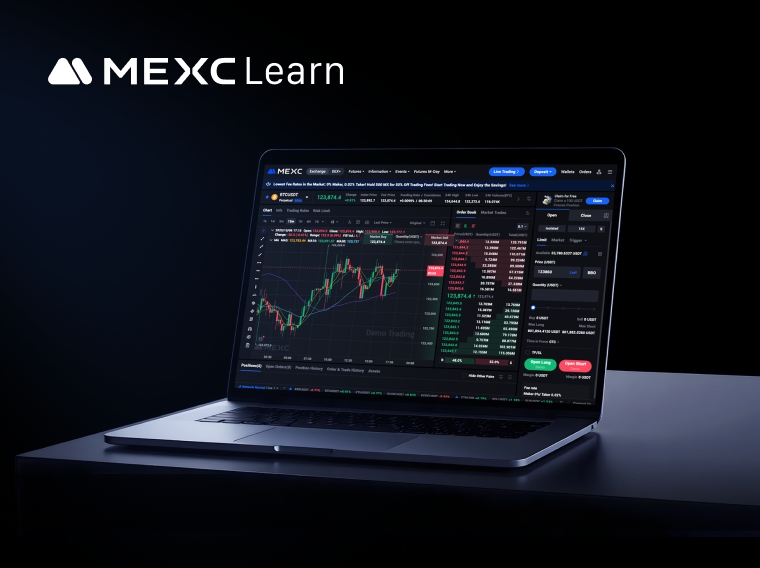
Demo Trading sa Futures ng MEXC: Pagbutihin ang Mga Kasanayan sa Kalakalan Nang Walang Panganib
Sa kalakalan ng futures sa cryptocurrency, ang pagbuo ng mga kasanayan at estratehiya ay kadalasang nasa halaga ng tunay na kapital. Maraming mga baguhan ang pumapasok sa live na merkado nang walang s
