Kickstarting a life of a blockchain developer with easePhoto by Mohammad Rahmani on Unsplash Table of Contents i. Introductionii. Setting up VSCode with Solidity extensioniii. Installing Ganacheiv. Installing Ethereum Remix extension in VSCodev. Installing Truffle Having a web development background, I fell in love with VS Code from day one. After getting into the crypto field and developing smart contracts in Solidity, the ability to harness my favorite tool was just the icing on the cake. In the following sections, we will be installing and setting up the development environment for Solidity with: Visual Studio Code Remix Extension Ganache Truffle And along with the tutorial, we will also code a simple ERC20 project to demonstrate the setup. Visual Studio Code VSCode is a code editor that is built by Microsoft, with feature-rich functions like IntelliSense and a sea of extensions. It’s the most-loved development tool by the developer community globally. But I guess you already knew it before reading this article. If you still have not installed VS Code, you can simply download it at the official website. We can then add Solidity support by installing the Solidity extension made by Juan Blanco. You can search “Solidity” in the extension bar or in the marketplace. This extension will help us to highlight Solidity syntax for better readability and snippets for faster development. After the installation, we can start a new project by creating a new folder namely: example-coin , and a subfolder contractsin the project. example-coin |_ contracts Next up, create a new contract under the contracts folder name token.sol Now type ERC20 in the file. This will trigger a snippet by the Solidity extension and create a template for the ERC20 token. For the simplicity of this tutorial, I will not go in-depth into the code. At a high level, the code is basically a kick starter template for an ERC20 contract. If for some reason you cannot generate the snippet, or that the snippet does not work, you can refer to the GitHub repository that I used to host the files I used in this example. Now you have an ERC20 token code, let’s try to run it in the following sections. Ganache Before testing our smart contracts, we will need to have an Ethereum Virtual Machine, or EVM, to host and run our contracts. To do that, there are two options, 1. Use the public testnets, such as Rinkeby, Ropsten 2. Self-host a private Ethereum blockchain The advantage of using a public testnet is that it requires no configuration to use. Connect to it and you are good to go. However, since it is still a public network, you will need testnet faucets to get Ether, which is essential as we need to pay gas to deploy our contracts — and sometimes they may be down — and you will have to wait for the services to go back online. But, before deploying to the mainnet, you should always deploy to the public testnet to test your contracts. For a private blockchain, everything is in your control. You can control how the mining is done, the gas fee required, and all the customizations. Ganache is one of the software that can launch a private Ethereum blockchain for us. To install Ganache, visit the official Ganache website to download the software from Truffle Suite. Launching the blockchain is also easy thanks to clear UI, all you need to do is to launch the application and click QUICKSTART to launch a new private Ethereum blockchain with 10 accounts already ready for testing.Interface in Ganache at launchInterface in Ganache after starting a blockchain The best thing about these testing accounts is that you can also import them into popular crypto wallets like Metamask for end-to-end testing before you deploy anything into the mainnet. You can also check the status of the blockchain by blocks, transactions, contracts, events, and logs as well, giving yourself a complete overview of your testing environment — where your smart contacts’ triggers can be easily analysed, unlike in a public testnet where it is filled with thousands of other developers’ actions. Now we have our blockchain ready, let's deploy our smart contract on it and try to run with the Remix extension. Remix Remix is the most popular IDE for Solidity developers, but we don’t have to abandon it just because we are using VSCode! Remix itself can help us to compile and deploy a contract on a blockchain, and provide an interface for easy testing, such as a button to trigger a function with different parameters. VS Code itself cannot provide these features even with Solidity extension installed, but we can combine the best of two worlds by installing the Ethereum Remix extension in VSCode. This extension is coded and maintained by the official Ethereum Foundation, so the features provided in Remix are also present in this extension as well. To download the extension, simply search Ethereum Remix in the extension tab or download it from the marketplace. We can use the Remix extension to help us run the example-coin contract we just wrote:Remix icon in the sidebar Click the Remix extension tab Click Run & Deploy, then click Activate in the pop-up menu. Now go back to Ganache, press the brown setting icon in the top-right icon In the server tab, find the hostname with the port number and copy it Server UI in Ganache Paste this hostname with the port number in the Remix panel in the format of http://<hostname>:<port_number>, for me, it would be http://172.17.160.1:7545 5. Make sure your solidity file is active, then press compile in the Remix extensionBoth panels are active in the workspace 6. After compiling your smart contract, you can deploy your token to the blockchain using your custom configuration, then click deployUI after compiling 7. Now you can interact with the smart contract easily by the run panelFunctions included in ABI are listed here This is an interactive way to test whether your smart contract is working as intended, just like what you would expect in the Remix IDE. But testing each function manually is time-consuming and difficult to include every case for every little change, so this is only good for rapid development. To save time and effort in the long run, we will need an automatic testing solution to assist us, and Truffle can help us out with this. Truffle Suite Truffle is the automatic testing tool and deployment tool that can help us to facilitate our development and deployment process while providing the need Ganache is also a software included in Truffle Suite, and now we can use another product from it, which is Truffle itself. To install Truffle, you will need to first have npm installed. If you do not, you can head to the NPM website to follow the guide on how to install npm. Installing Truffle with npm is as easy as entering the command npm install -g truffle Option -g will enable Truffle globally so you can use it everywhere in your system. Now with Truffle installed, we can start to write test cases for our token with the following steps Head to the root folder of our smart contracts and run truffle init When prompted with the following response, choose N as we already have the contracts ready. contracts already exists in this directory… ?Overwrite contracts? (y/N) Now you should have a folder structure as follows: example-coin |_ contracts |_ token.sol |_ migrations |_ 1_initial_migration.js |_ test |_ .gitkeep |_ truffle-config.js 3. Create a new file token.test.js under the test folder and copy the code below into the file. const Standard_Token = artifacts.require("Standard_Token");contract("Standard_Token", (accounts) => { it("should put 10000 token in the first account", async () => { const token = await Standard_Token.deployed(); const balance = await token.balanceOf(accounts[0]); assert.equal(balance.toNumber(), 10000); }); it("should transfer 100 token from the accounts[0] to accounts[1]", async () => { const token = await Standard_Token.deployed(); await token.transfer(accounts[1], 100, { from: accounts[0]}); const balance = await token.balanceOf(accounts[1]); assert.equal(balance.toNumber(), 100); });}); I have prepared two tests here, which are to check if the address to deploy the contract did receive 10000 tokens, and whether the transfer of 100 tokens from 1 address to another is successful. 4. Now we will need to make configurations for Truffle and deployment, first head to truffle-config.js and in the object networks.development, uncomment it and change the field to your Ganache configuration, you may leave the other settings unchanged at this point. networks: { development: { host: "192.168.48.1", // Localhost (default: none) port: 7545, // Standard Ethereum port (default: none) network_id: "*", // Any network (default: none) }} 5. Next, we will teach how Truffle should deploy our contracts, copy the following code to replace the content of 1_initial_migration.js. This code is deploying the contract onto the blockchain and calls the constructor with our parameters const Standard_Token = artifacts.require("Standard_Token");module.exports = function (deployer) { deployer.deploy(Standard_Token, 10000, "Example Coin", 1, "EPC");}; 6. Now we can run truffle test at the root level, it will automatically detect the tests in the test folder and run them for us. You should also see the following results Contract: Standard_Token ✓ should put 10000 token in the first account (118ms) ✓ should transfer 100 token from the accounts[0] to accounts[1] (696ms) 2 passing (1s) 7. Now everything is ready, we can run truffle migrate to deploy the contracts on-chain! Conclusion So that is how I set up my environment to develop smart contracts on Ethereum, but notice that no two developers are alike, this only serves as a reference to you, and you should find the setup you find most comfortable. As for the sample project, you can find the whole code here. This is my first blog on blockchain development-related fields, I hope this can help you to kickstart your Solidity adventure. References Running Migrations - Truffle Suite Welcome to Remix's documentation! - Remix - Ethereum IDE 1 documentation Want to Connect? You can find me at Twitter Github Discord. How to Setup a Local Solidity Development Environment With VSCode, Remix, and Truffle Suite was originally published in Coinmonks on Medium, where people are continuing the conversation by highlighting and responding to this storyKickstarting a life of a blockchain developer with easePhoto by Mohammad Rahmani on Unsplash Table of Contents i. Introductionii. Setting up VSCode with Solidity extensioniii. Installing Ganacheiv. Installing Ethereum Remix extension in VSCodev. Installing Truffle Having a web development background, I fell in love with VS Code from day one. After getting into the crypto field and developing smart contracts in Solidity, the ability to harness my favorite tool was just the icing on the cake. In the following sections, we will be installing and setting up the development environment for Solidity with: Visual Studio Code Remix Extension Ganache Truffle And along with the tutorial, we will also code a simple ERC20 project to demonstrate the setup. Visual Studio Code VSCode is a code editor that is built by Microsoft, with feature-rich functions like IntelliSense and a sea of extensions. It’s the most-loved development tool by the developer community globally. But I guess you already knew it before reading this article. If you still have not installed VS Code, you can simply download it at the official website. We can then add Solidity support by installing the Solidity extension made by Juan Blanco. You can search “Solidity” in the extension bar or in the marketplace. This extension will help us to highlight Solidity syntax for better readability and snippets for faster development. After the installation, we can start a new project by creating a new folder namely: example-coin , and a subfolder contractsin the project. example-coin |_ contracts Next up, create a new contract under the contracts folder name token.sol Now type ERC20 in the file. This will trigger a snippet by the Solidity extension and create a template for the ERC20 token. For the simplicity of this tutorial, I will not go in-depth into the code. At a high level, the code is basically a kick starter template for an ERC20 contract. If for some reason you cannot generate the snippet, or that the snippet does not work, you can refer to the GitHub repository that I used to host the files I used in this example. Now you have an ERC20 token code, let’s try to run it in the following sections. Ganache Before testing our smart contracts, we will need to have an Ethereum Virtual Machine, or EVM, to host and run our contracts. To do that, there are two options, 1. Use the public testnets, such as Rinkeby, Ropsten 2. Self-host a private Ethereum blockchain The advantage of using a public testnet is that it requires no configuration to use. Connect to it and you are good to go. However, since it is still a public network, you will need testnet faucets to get Ether, which is essential as we need to pay gas to deploy our contracts — and sometimes they may be down — and you will have to wait for the services to go back online. But, before deploying to the mainnet, you should always deploy to the public testnet to test your contracts. For a private blockchain, everything is in your control. You can control how the mining is done, the gas fee required, and all the customizations. Ganache is one of the software that can launch a private Ethereum blockchain for us. To install Ganache, visit the official Ganache website to download the software from Truffle Suite. Launching the blockchain is also easy thanks to clear UI, all you need to do is to launch the application and click QUICKSTART to launch a new private Ethereum blockchain with 10 accounts already ready for testing.Interface in Ganache at launchInterface in Ganache after starting a blockchain The best thing about these testing accounts is that you can also import them into popular crypto wallets like Metamask for end-to-end testing before you deploy anything into the mainnet. You can also check the status of the blockchain by blocks, transactions, contracts, events, and logs as well, giving yourself a complete overview of your testing environment — where your smart contacts’ triggers can be easily analysed, unlike in a public testnet where it is filled with thousands of other developers’ actions. Now we have our blockchain ready, let's deploy our smart contract on it and try to run with the Remix extension. Remix Remix is the most popular IDE for Solidity developers, but we don’t have to abandon it just because we are using VSCode! Remix itself can help us to compile and deploy a contract on a blockchain, and provide an interface for easy testing, such as a button to trigger a function with different parameters. VS Code itself cannot provide these features even with Solidity extension installed, but we can combine the best of two worlds by installing the Ethereum Remix extension in VSCode. This extension is coded and maintained by the official Ethereum Foundation, so the features provided in Remix are also present in this extension as well. To download the extension, simply search Ethereum Remix in the extension tab or download it from the marketplace. We can use the Remix extension to help us run the example-coin contract we just wrote:Remix icon in the sidebar Click the Remix extension tab Click Run & Deploy, then click Activate in the pop-up menu. Now go back to Ganache, press the brown setting icon in the top-right icon In the server tab, find the hostname with the port number and copy it Server UI in Ganache Paste this hostname with the port number in the Remix panel in the format of http://<hostname>:<port_number>, for me, it would be http://172.17.160.1:7545 5. Make sure your solidity file is active, then press compile in the Remix extensionBoth panels are active in the workspace 6. After compiling your smart contract, you can deploy your token to the blockchain using your custom configuration, then click deployUI after compiling 7. Now you can interact with the smart contract easily by the run panelFunctions included in ABI are listed here This is an interactive way to test whether your smart contract is working as intended, just like what you would expect in the Remix IDE. But testing each function manually is time-consuming and difficult to include every case for every little change, so this is only good for rapid development. To save time and effort in the long run, we will need an automatic testing solution to assist us, and Truffle can help us out with this. Truffle Suite Truffle is the automatic testing tool and deployment tool that can help us to facilitate our development and deployment process while providing the need Ganache is also a software included in Truffle Suite, and now we can use another product from it, which is Truffle itself. To install Truffle, you will need to first have npm installed. If you do not, you can head to the NPM website to follow the guide on how to install npm. Installing Truffle with npm is as easy as entering the command npm install -g truffle Option -g will enable Truffle globally so you can use it everywhere in your system. Now with Truffle installed, we can start to write test cases for our token with the following steps Head to the root folder of our smart contracts and run truffle init When prompted with the following response, choose N as we already have the contracts ready. contracts already exists in this directory… ?Overwrite contracts? (y/N) Now you should have a folder structure as follows: example-coin |_ contracts |_ token.sol |_ migrations |_ 1_initial_migration.js |_ test |_ .gitkeep |_ truffle-config.js 3. Create a new file token.test.js under the test folder and copy the code below into the file. const Standard_Token = artifacts.require("Standard_Token");contract("Standard_Token", (accounts) => { it("should put 10000 token in the first account", async () => { const token = await Standard_Token.deployed(); const balance = await token.balanceOf(accounts[0]); assert.equal(balance.toNumber(), 10000); }); it("should transfer 100 token from the accounts[0] to accounts[1]", async () => { const token = await Standard_Token.deployed(); await token.transfer(accounts[1], 100, { from: accounts[0]}); const balance = await token.balanceOf(accounts[1]); assert.equal(balance.toNumber(), 100); });}); I have prepared two tests here, which are to check if the address to deploy the contract did receive 10000 tokens, and whether the transfer of 100 tokens from 1 address to another is successful. 4. Now we will need to make configurations for Truffle and deployment, first head to truffle-config.js and in the object networks.development, uncomment it and change the field to your Ganache configuration, you may leave the other settings unchanged at this point. networks: { development: { host: "192.168.48.1", // Localhost (default: none) port: 7545, // Standard Ethereum port (default: none) network_id: "*", // Any network (default: none) }} 5. Next, we will teach how Truffle should deploy our contracts, copy the following code to replace the content of 1_initial_migration.js. This code is deploying the contract onto the blockchain and calls the constructor with our parameters const Standard_Token = artifacts.require("Standard_Token");module.exports = function (deployer) { deployer.deploy(Standard_Token, 10000, "Example Coin", 1, "EPC");}; 6. Now we can run truffle test at the root level, it will automatically detect the tests in the test folder and run them for us. You should also see the following results Contract: Standard_Token ✓ should put 10000 token in the first account (118ms) ✓ should transfer 100 token from the accounts[0] to accounts[1] (696ms) 2 passing (1s) 7. Now everything is ready, we can run truffle migrate to deploy the contracts on-chain! Conclusion So that is how I set up my environment to develop smart contracts on Ethereum, but notice that no two developers are alike, this only serves as a reference to you, and you should find the setup you find most comfortable. As for the sample project, you can find the whole code here. This is my first blog on blockchain development-related fields, I hope this can help you to kickstart your Solidity adventure. References Running Migrations - Truffle Suite Welcome to Remix's documentation! - Remix - Ethereum IDE 1 documentation Want to Connect? You can find me at Twitter Github Discord. How to Setup a Local Solidity Development Environment With VSCode, Remix, and Truffle Suite was originally published in Coinmonks on Medium, where people are continuing the conversation by highlighting and responding to this story

How to Setup a Local Solidity Development Environment With VSCode, Remix, and Truffle Suite

2025/09/09 21:02

Kickstarting a life of a blockchain developer with ease

Photo by Mohammad Rahmani on Unsplash
Table of Contents
i.   Introduction
ii. Setting up VSCode with Solidity extension
iii. Installing Ganache
iv. Installing Ethereum Remix extension in VSCode
v. Installing Truffle

Having a web development background, I fell in love with VS Code from day one. After getting into the crypto field and developing smart contracts in Solidity, the ability to harness my favorite tool was just the icing on the cake.

In the following sections, we will be installing and setting up the development environment for Solidity with:

  1. Visual Studio Code
  2. Remix Extension
  3. Ganache
  4. Truffle

And along with the tutorial, we will also code a simple ERC20 project to demonstrate the setup.

Visual Studio Code

VSCode is a code editor that is built by Microsoft, with feature-rich functions like IntelliSense and a sea of extensions. It’s the most-loved development tool by the developer community globally. But I guess you already knew it before reading this article.

If you still have not installed VS Code, you can simply download it at the official website.

We can then add Solidity support by installing the Solidity extension made by Juan Blanco. You can search “Solidity” in the extension bar or in the marketplace.

This extension will help us to highlight Solidity syntax for better readability and snippets for faster development.

After the installation, we can start a new project by creating a new folder namely: example-coin , and a subfolder contractsin the project.

example-coin
|_ contracts

Next up, create a new contract under the contracts folder name token.sol

Now type ERC20 in the file. This will trigger a snippet by the Solidity extension and create a template for the ERC20 token. For the simplicity of this tutorial, I will not go in-depth into the code. At a high level, the code is basically a kick starter template for an ERC20 contract.

If for some reason you cannot generate the snippet, or that the snippet does not work, you can refer to the GitHub repository that I used to host the files I used in this example.

Now you have an ERC20 token code, let’s try to run it in the following sections.

Ganache

Before testing our smart contracts, we will need to have an Ethereum Virtual Machine, or EVM, to host and run our contracts. To do that, there are two options,

1. Use the public testnets, such as Rinkeby, Ropsten

2. Self-host a private Ethereum blockchain

The advantage of using a public testnet is that it requires no configuration to use. Connect to it and you are good to go.

However, since it is still a public network, you will need testnet faucets to get Ether, which is essential as we need to pay gas to deploy our contracts — and sometimes they may be down — and you will have to wait for the services to go back online. But, before deploying to the mainnet, you should always deploy to the public testnet to test your contracts.

For a private blockchain, everything is in your control. You can control how the mining is done, the gas fee required, and all the customizations. Ganache is one of the software that can launch a private Ethereum blockchain for us.

To install Ganache, visit the official Ganache website to download the software from Truffle Suite. Launching the blockchain is also easy thanks to clear UI, all you need to do is to launch the application and click QUICKSTART to launch a new private Ethereum blockchain with 10 accounts already ready for testing.

Interface in Ganache at launchInterface in Ganache after starting a blockchain

The best thing about these testing accounts is that you can also import them into popular crypto wallets like Metamask for end-to-end testing before you deploy anything into the mainnet.

You can also check the status of the blockchain by blocks, transactions, contracts, events, and logs as well, giving yourself a complete overview of your testing environment — where your smart contacts’ triggers can be easily analysed, unlike in a public testnet where it is filled with thousands of other developers’ actions.

Now we have our blockchain ready, let's deploy our smart contract on it and try to run with the Remix extension.

Remix

Remix is the most popular IDE for Solidity developers, but we don’t have to abandon it just because we are using VSCode! Remix itself can help us to compile and deploy a contract on a blockchain, and provide an interface for easy testing, such as a button to trigger a function with different parameters.

VS Code itself cannot provide these features even with Solidity extension installed, but we can combine the best of two worlds by installing the Ethereum Remix extension in VSCode. This extension is coded and maintained by the official Ethereum Foundation, so the features provided in Remix are also present in this extension as well.

To download the extension, simply search Ethereum Remix in the extension tab or download it from the marketplace.

We can use the Remix extension to help us run the example-coin contract we just wrote:

Remix icon in the sidebar
  1. Click the Remix extension tab
  2. Click Run & Deploy, then click Activate in the pop-up menu.
  3. Now go back to Ganache, press the brown setting icon in the top-right icon
  4. In the server tab, find the hostname with the port number and copy it
Server UI in Ganache

Paste this hostname with the port number in the Remix panel in the format of http://<hostname>:<port_number>, for me, it would be http://172.17.160.1:7545

5. Make sure your solidity file is active, then press compile in the Remix extension

Both panels are active in the workspace

6. After compiling your smart contract, you can deploy your token to the blockchain using your custom configuration, then click deploy

UI after compiling

7. Now you can interact with the smart contract easily by the run panel

Functions included in ABI are listed here

This is an interactive way to test whether your smart contract is working as intended, just like what you would expect in the Remix IDE.

But testing each function manually is time-consuming and difficult to include every case for every little change, so this is only good for rapid development. To save time and effort in the long run, we will need an automatic testing solution to assist us, and Truffle can help us out with this.

Truffle Suite

Truffle is the automatic testing tool and deployment tool that can help us to facilitate our development and deployment process while providing the need

Ganache is also a software included in Truffle Suite, and now we can use another product from it, which is Truffle itself.

To install Truffle, you will need to first have npm installed. If you do not, you can head to the NPM website to follow the guide on how to install npm.

Installing Truffle with npm is as easy as entering the command

npm install -g truffle

Option -g will enable Truffle globally so you can use it everywhere in your system.

Now with Truffle installed, we can start to write test cases for our token with the following steps

  1. Head to the root folder of our smart contracts and run truffle init
  2. When prompted with the following response, choose N as we already have the contracts ready.
contracts already exists in this directory…
?Overwrite contracts? (y/N)

Now you should have a folder structure as follows:

example-coin
|_ contracts
|_ token.sol
|_ migrations
|_ 1_initial_migration.js
|_ test
|_ .gitkeep
|_ truffle-config.js

3. Create a new file token.test.js under the test folder and copy the code below into the file.

const Standard_Token = artifacts.require("Standard_Token");
contract("Standard_Token", (accounts) => {
it("should put 10000 token in the first account", async () => {
const token = await Standard_Token.deployed();
const balance = await token.balanceOf(accounts[0]);
assert.equal(balance.toNumber(), 10000);
});
it("should transfer 100 token from the accounts[0] to accounts[1]", async () => {
const token = await Standard_Token.deployed();
await token.transfer(accounts[1], 100, { from: accounts[0]});
const balance = await token.balanceOf(accounts[1]);
assert.equal(balance.toNumber(), 100);
});
});

I have prepared two tests here, which are to check if the address to deploy the contract did receive 10000 tokens, and whether the transfer of 100 tokens from 1 address to another is successful.

4. Now we will need to make configurations for Truffle and deployment, first head to truffle-config.js and in the object networks.development, uncomment it and change the field to your Ganache configuration, you may leave the other settings unchanged at this point.

networks: {
development: {
host: "192.168.48.1", // Localhost (default: none)
port: 7545, // Standard Ethereum port (default: none)
network_id: "*", // Any network (default: none)
}
}

5. Next, we will teach how Truffle should deploy our contracts, copy the following code to replace the content of 1_initial_migration.js. This code is deploying the contract onto the blockchain and calls the constructor with our parameters

const Standard_Token = artifacts.require("Standard_Token");
module.exports = function (deployer) {
deployer.deploy(Standard_Token, 10000, "Example Coin", 1, "EPC");
};

6. Now we can run truffle test at the root level, it will automatically detect the tests in the test folder and run them for us. You should also see the following results

Contract: Standard_Token
✓ should put 10000 token in the first account (118ms)
✓ should transfer 100 token from the accounts[0] to accounts[1] (696ms)
2 passing (1s)

7. Now everything is ready, we can run truffle migrate to deploy the contracts on-chain!

Conclusion

So that is how I set up my environment to develop smart contracts on Ethereum, but notice that no two developers are alike, this only serves as a reference to you, and you should find the setup you find most comfortable. As for the sample project, you can find the whole code here.

This is my first blog on blockchain development-related fields, I hope this can help you to kickstart your Solidity adventure.

References

  • Running Migrations - Truffle Suite
  • Welcome to Remix's documentation! - Remix - Ethereum IDE 1 documentation
Want to Connect?
You can find me at Twitter Github Discord.

How to Setup a Local Solidity Development Environment With VSCode, Remix, and Truffle Suite was originally published in Coinmonks on Medium, where people are continuing the conversation by highlighting and responding to this story.


Disclaimer: The articles reposted on this site are sourced from public platforms and are provided for informational purposes only. They do not necessarily reflect the views of MEXC. All rights remain with the original authors. If you believe any content infringes on third-party rights, please contact service@support.mexc.com for removal. MEXC makes no guarantees regarding the accuracy, completeness, or timeliness of the content and is not responsible for any actions taken based on the information provided. The content does not constitute financial, legal, or other professional advice, nor should it be considered a recommendation or endorsement by MEXC.

You May Also Like

Gold Hits $3,700 as Sprott’s Wong Says Dollar’s Store-of-Value Crown May Slip

Gold Hits $3,700 as Sprott’s Wong Says Dollar’s Store-of-Value Crown May Slip

The post Gold Hits $3,700 as Sprott’s Wong Says Dollar’s Store-of-Value Crown May Slip appeared on BitcoinEthereumNews.com. Gold is strutting its way into record territory, smashing through $3,700 an ounce Wednesday morning, as Sprott Asset Management strategist Paul Wong says the yellow metal may finally snatch the dollar’s most coveted role: store of value. Wong Warns: Fiscal Dominance Puts U.S. Dollar on Notice, Gold on Top Gold prices eased slightly to $3,678.9 […] Source: https://news.bitcoin.com/gold-hits-3700-as-sprotts-wong-says-dollars-store-of-value-crown-may-slip/
Share
BitcoinEthereumNews2025/09/18 00:33
Franklin Templeton CEO Dismisses 50bps Rate Cut Ahead FOMC

Franklin Templeton CEO Dismisses 50bps Rate Cut Ahead FOMC

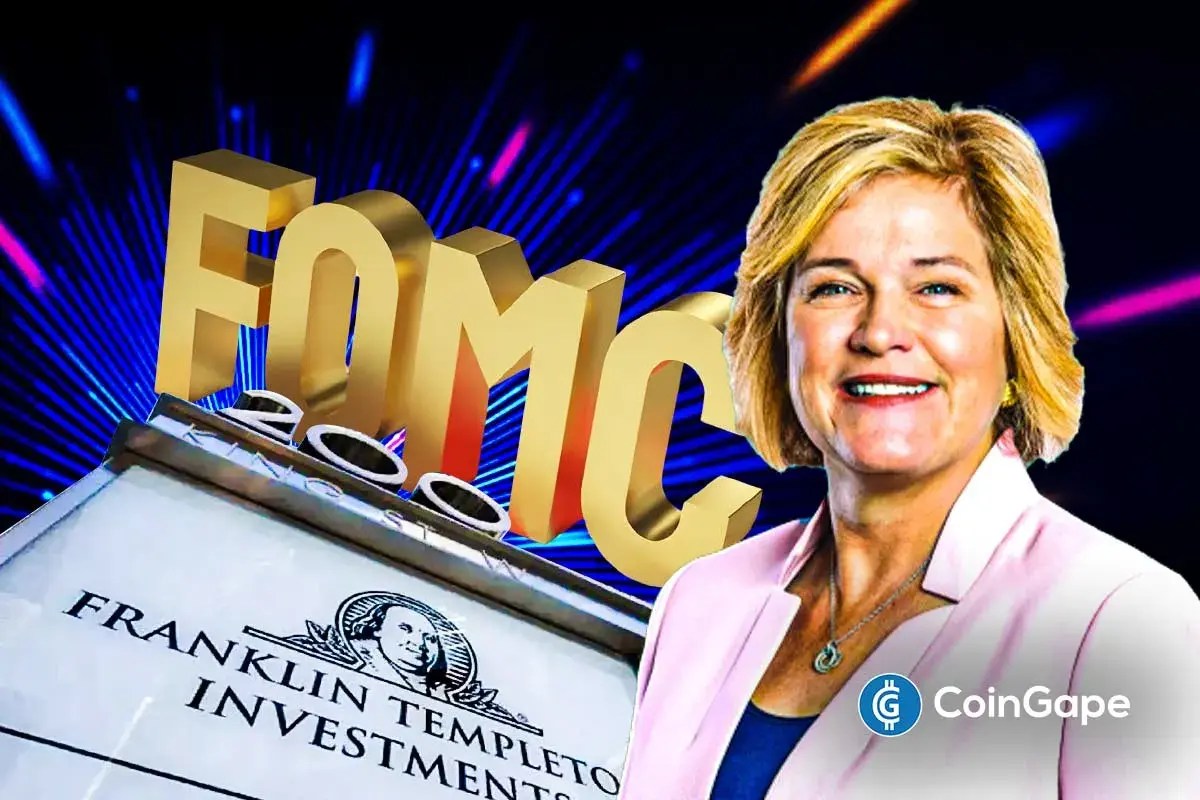
The post Franklin Templeton CEO Dismisses 50bps Rate Cut Ahead FOMC appeared on BitcoinEthereumNews.com. Franklin Templeton CEO Jenny Johnson has weighed in on whether the Federal Reserve should make a 25 basis points (bps) Fed rate cut or 50 bps cut. This comes ahead of the Fed decision today at today’s FOMC meeting, with the market pricing in a 25 bps cut. Bitcoin and the broader crypto market are currently trading flat ahead of the rate cut decision. Franklin Templeton CEO Weighs In On Potential FOMC Decision In a CNBC interview, Jenny Johnson said that she expects the Fed to make a 25 bps cut today instead of a 50 bps cut. She acknowledged the jobs data, which suggested that the labor market is weakening. However, she noted that this data is backward-looking, indicating that it doesn’t show the current state of the economy. She alluded to the wage growth, which she remarked is an indication of a robust labor market. She added that retail sales are up and that consumers are still spending, despite inflation being sticky at 3%, which makes a case for why the FOMC should opt against a 50-basis-point Fed rate cut. In line with this, the Franklin Templeton CEO said that she would go with a 25 bps rate cut if she were Jerome Powell. She remarked that the Fed still has the October and December FOMC meetings to make further cuts if the incoming data warrants it. Johnson also asserted that the data show a robust economy. However, she noted that there can’t be an argument for no Fed rate cut since Powell already signaled at Jackson Hole that they were likely to lower interest rates at this meeting due to concerns over a weakening labor market. Notably, her comment comes as experts argue for both sides on why the Fed should make a 25 bps cut or…

Share
BitcoinEthereumNews2025/09/18 00:36
[Tambay] Tres niños na bagitos

[Tambay] Tres niños na bagitos

Mga bagong lublób sa malupit na mundo ng Philippine politics ang mga newbies na sina Leviste, Barzaga, at San Fernando, kaya madalas nakakangilo ang kanilang ikinikilos
Share
Rappler2026/01/18 10:00