

MEXC Affiliate FAQ
1. Rebate-Related Questions
1.1 Commission Distribution Time
The platform follows a T+1 commission settlement mechanism. Commissions are generally distributed daily between 8:00 and 10:30 (UTC+8). In extreme cases, there may be slight delays due to the large volume of calculations.
1.2 How do I check my commission for the current day?
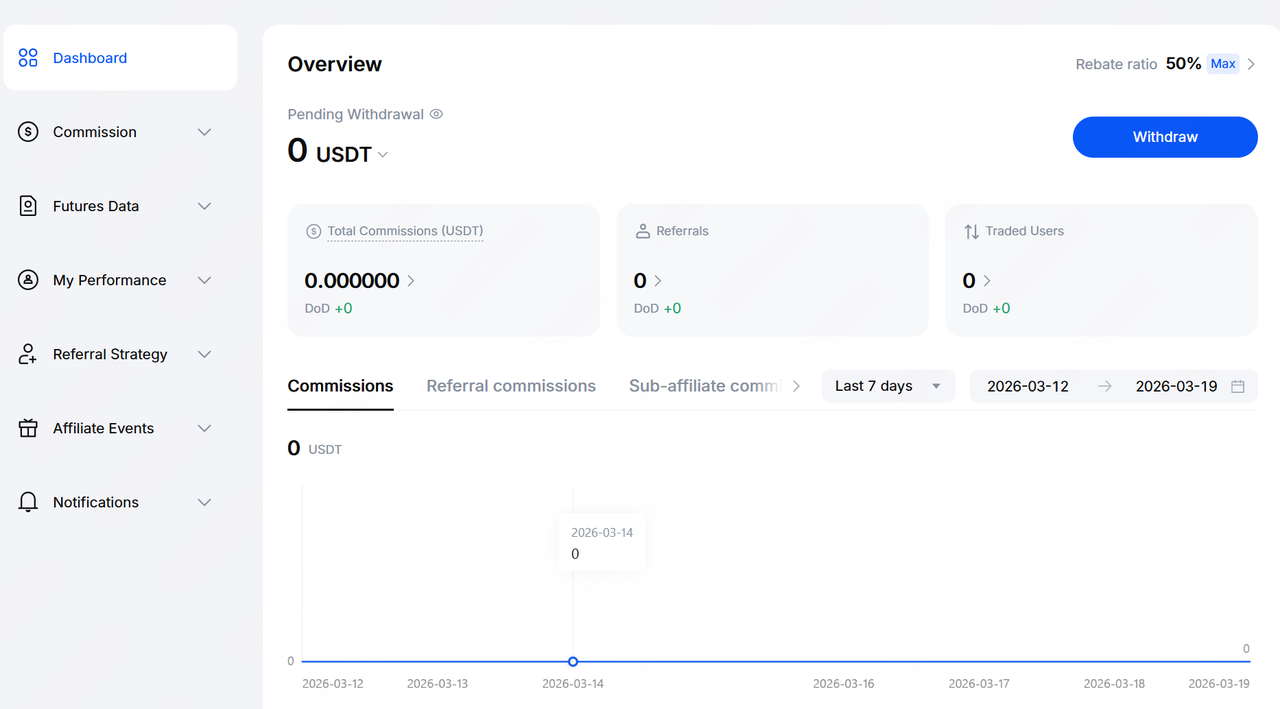
You can view an overview of your daily commission on the Affiliate Portal Dashboard page. If you want to check detailed records, please go to the Commission section for more information.
1.3 How do I export commission records?
After logging in to the affiliate portal, click Commission → Funding History, then click the Export button on the page. You can choose the export date range, data type, and file format. At present, the platform supports exporting data for up to the past 540 days, and available file formats include Excel and PDF.
1.4 How do I check my commission rate?
After entering the affiliate portal, your commission rate will be displayed in the upper-right corner of the page.
1.5 Why is the commission I received lower than expected?
Possible reasons include:
1. Some trading pairs on the platform are part of zero-fee campaigns. Commission is calculated based on the actual fees paid, rather than trading volume.
2. No commission is generated on the portion of fees offset by bonuses used by your referred users.
3. If a user is found to have engaged in improper trading behavior, the commission amount may be reduced accordingly.
1.6 Why didn't I receive yesterday's daily report?
Please check your commission amount. If the commission amount is less than 1 USDT, the system will not send the corresponding daily report email.
1.7 Will an expired special Referral code affect commission calculation or distribution?
No. After a special invitation code expires, the relevant users will be automatically linked to your default invitation code. Commission calculation and distribution will continue as normal.
1.8 Can I turn off daily, weekly, or monthly report notifications?
Yes. Please contact your BD for assistance.
2. Invitation Registration and Affiliate Accounts
2.1 How long does Affiliate account review take?
The review process for an affiliate account is generally completed within 7 business days. Please wait patiently.
2.2 Can the invitee's invitation code be changed?
No. Once an invitation code has been linked, it cannot be changed or removed.
2.3 I forgot to use an invitation code during registration. Can I link it later?
Yes. Within 72 hours after account registration, you can add and bind an invitation code through customer service or the self-service function.
*BTN-Self-Service Inviter Binding& BTNURL=https://www.mexc.com/support/bind-inviter*
2.4 Can I delete my affiliate account?
At present, affiliate accounts cannot be deleted. If you no longer wish to use the account, you may simply stop using it.
2.5 What are the requirements for establishing a sub-affiliate relationship?
The following conditions must all be met:
1. Both parties must have successfully activated affiliate accounts.
2. A valid referral relationship must already exist, meaning the upper-level affiliate invited the lower-level user to Sign up. Based on this, a binding application must then be submitted and approved.
2.6 How do I establish an sub-affiliate relationship?
You may submit the application through any of the following channels:
1. Contact your BD
2. Contact online Customer Service
3. Send an email to customer support at service@support.mexc.com
When submitting the application, please provide the UID of the affiliate and the UID of the sub-affiliate.
3. Other Related Questions
3.1 How do I get the affiliate portal API?
Please refer to the official API documentation: Rebate Endpoints