The post How To Enable TPM 2.0 And Secure Boot And What To Do If It’s Not Working appeared on BitcoinEthereumNews.com. Call Of Duty: Black Ops 7 Credit: Activision There’s a new security requirement for PC players hoping to play Black Ops 7 – including the Black Ops 7 beta this week – and the next iteration of Warzone. Like a number of other multiplayer games, Call Of Duty will now require TPM 2.0 and Secure Boot to be enabled. This is a pretty major step in the endless war against cheaters, which is something fans have been asking for, but it’s sure to cause an enormous number of headaches in the process. It’s also controversial, though we’ll leave that commentary for another time. Windows 11 PCs are required to have TPM 2.0 enabled, so if your machine is running Windows 11 you should be all set, but it’s entirely possible that an out-of-date BIOS could cause issues. What Is TPM 2.0? TPM 2.0 – or Trusted Platform Module version 2.0) is a tiny chip on your system that basically acts as a security vault for your computer at a very low level. Without getting too nitty-gritty, this provides hardware-level security that makes your computer more secure and helps prevent kernel level cheats, enabling anti-cheat systems to verify system integrity. Basically, this should make it easier for Call Of Duty’s Ricochet system to tell when cheaters are gaming the system. Kernel level cheats will have a much harder time hiding from Ricochet, plugging a major security hole in the process. How To Enable TPM 2.0 For now, if you’re preparing to play in the beta or trying to play but getting a message telling you that TPM 2.0 is required, I’m here to help. You may need to enable this feature in your system BIOS, but you also may have it enabled already and still run into this message. This happened… The post How To Enable TPM 2.0 And Secure Boot And What To Do If It’s Not Working appeared on BitcoinEthereumNews.com. Call Of Duty: Black Ops 7 Credit: Activision There’s a new security requirement for PC players hoping to play Black Ops 7 – including the Black Ops 7 beta this week – and the next iteration of Warzone. Like a number of other multiplayer games, Call Of Duty will now require TPM 2.0 and Secure Boot to be enabled. This is a pretty major step in the endless war against cheaters, which is something fans have been asking for, but it’s sure to cause an enormous number of headaches in the process. It’s also controversial, though we’ll leave that commentary for another time. Windows 11 PCs are required to have TPM 2.0 enabled, so if your machine is running Windows 11 you should be all set, but it’s entirely possible that an out-of-date BIOS could cause issues. What Is TPM 2.0? TPM 2.0 – or Trusted Platform Module version 2.0) is a tiny chip on your system that basically acts as a security vault for your computer at a very low level. Without getting too nitty-gritty, this provides hardware-level security that makes your computer more secure and helps prevent kernel level cheats, enabling anti-cheat systems to verify system integrity. Basically, this should make it easier for Call Of Duty’s Ricochet system to tell when cheaters are gaming the system. Kernel level cheats will have a much harder time hiding from Ricochet, plugging a major security hole in the process. How To Enable TPM 2.0 For now, if you’re preparing to play in the beta or trying to play but getting a message telling you that TPM 2.0 is required, I’m here to help. You may need to enable this feature in your system BIOS, but you also may have it enabled already and still run into this message. This happened…

How To Enable TPM 2.0 And Secure Boot And What To Do If It’s Not Working

2025/10/02 21:39

Call Of Duty: Black Ops 7

Credit: Activision

There’s a new security requirement for PC players hoping to play Black Ops 7 – including the Black Ops 7 beta this week – and the next iteration of Warzone. Like a number of other multiplayer games, Call Of Duty will now require TPM 2.0 and Secure Boot to be enabled. This is a pretty major step in the endless war against cheaters, which is something fans have been asking for, but it’s sure to cause an enormous number of headaches in the process. It’s also controversial, though we’ll leave that commentary for another time. Windows 11 PCs are required to have TPM 2.0 enabled, so if your machine is running Windows 11 you should be all set, but it’s entirely possible that an out-of-date BIOS could cause issues.

What Is TPM 2.0?

TPM 2.0 – or Trusted Platform Module version 2.0) is a tiny chip on your system that basically acts as a security vault for your computer at a very low level. Without getting too nitty-gritty, this provides hardware-level security that makes your computer more secure and helps prevent kernel level cheats, enabling anti-cheat systems to verify system integrity. Basically, this should make it easier for Call Of Duty’s Ricochet system to tell when cheaters are gaming the system. Kernel level cheats will have a much harder time hiding from Ricochet, plugging a major security hole in the process.

How To Enable TPM 2.0

For now, if you’re preparing to play in the beta or trying to play but getting a message telling you that TPM 2.0 is required, I’m here to help. You may need to enable this feature in your system BIOS, but you also may have it enabled already and still run into this message. This happened to me. We’ll get to the (probable) fix for that in a minute. First of all, here is a video Activision provided explaining how to check if TPM 2.0 and Secure Boot are enabled and how to enable them if not:

To check if TPM 2.0 and Secure Boot are enabled:

Check TPM:

  • Press Win + R, type tpm.msc, and press Enter.
  • Under Status, it should say The TPM is ready for use.
  • Under TPM Manufacturer Information, confirm Specification Version: 2.0.

Check Secure Boot:

  • Press Win + R, type msinfo32, and press Enter.
  • In the System Summary, look for Secure Boot State. It should say On.

Here’s a step-by-step guide on how to do this on your machine:

Part 1: Entering the BIOS/UEFI

  1. Restart your computer.
  2. As it starts up, repeatedly press the setup key until the BIOS/UEFI screen appears.
  3. Common keys: F2, F10, DEL, or ESC. (Check your PC’s manual if unsure.)
  4. You are now in the BIOS/UEFI settings menu.

Part 2: Enabling TPM 2.0

  1. In the BIOS, go to the Security, Advanced, or Trusted Computing tab.
    (On Intel systems, it may be listed as PTT (Platform Trust Technology). On AMD, it may appear as fTPM.)
  2. Find the setting labeled TPM Device, Security Device, Intel PTT, or AMD fTPM.
  3. Set it to Enabled.
  4. Save your changes (usually F10) and continue to the next step.

Part 3: Enabling Secure Boot

  1. In the BIOS/UEFI, look for a tab called Boot, Security, or Authentication.
  2. Locate the Secure Boot option.
  3. Change the setting to Enabled.
  • If it’s greyed out, first set Boot Mode or UEFI/Legacy Boot to UEFI Only.

Save your changes.

Part 4: Save and Exit

  1. Press the save key (usually F10) or select Save & Exit from the BIOS menu.
  2. Your PC will restart with TPM 2.0 and Secure Boot enabled.

I Have TPM 2.0 and Secure Boot Enabled But Call Of Duty Still Says I Need To Enable Them. What Now?

If you’ve done all this or your machine shows TPM 2.0 on but you’re still getting a message when loading Call Of Duty instructing you to enable TPM 2.0 you are likely running an old BIOS (Basic Input/Output System) that is considered insecure. There could be other issues at play, but this is the likely culprit and updating my BIOS solved the issue for me.

You’ll want to press Win + R, type msinfo32, and press Enter. Now check for your motherboard model and go to the manufacturer’s website to download the latest BIOS. In order to update, or “flash”, your BIOS you’ll ideally want a USB thumb-drive, though you can also install from your internal drive. Download and extract the newer BIOS (many have recently been updated for TPM 2.0 fixes) to your thumb drive, then restart and go back into the BIOS.

At this point, your best bet is following instructions provided by your motherboard manufacturer, as there are different ways a BIOS is updated based on the board itself. I have an MSI motherboard and used the M-Flash system which was pretty easy, but I don’t want to lead you astray by giving instructions that may not apply to your manufacturer. Typically, there are instructions at the same page you get the BIOS. This worked for me, but it’s entirely possible it won’t work for you and you may have to troubleshoot further. It’s also possible that you could run into some real issues going through this whole process, as user error and other factors can complicate things. I’ve heard horror stories of bricked machines, so be sure to proceed with caution.

Privacy and other concerns.

I mentioned that this is all controversial above, and it’s with good reason. Granting anti-cheat software kernel level access to your machine is a risk. There are privacy concerns involved here, as well as the risk of an anti-cheat software being hijacked by hackers, potentially gaining kernel level access to thousands or millions of PCs at the root level.

It’s also going to bar older machines from playing, effectively limiting the PC install base while older consoles like the Xbox One and PS4 are still viable (remarkably, after all these years). Between distrust of publishers, privacy concerns and locking out older PCs, it’s understandable why some gamers might feel this is all a bridge too far. On the other hand, it’s incredibly difficult to actually combat cheaters without this kind of access. Ultimately, the choice is down to individuals now that Activision and Microsoft have decided to make this a requirement.

Read more about the Black Ops 7 beta here, and read my impressions of the game’s multiplayer here.

Source: https://www.forbes.com/sites/erikkain/2025/10/02/black-ops-7-beta-how-to-enable-tpm-20-and-secure-boot-and-what-to-do-if-its-not-working/

Sorumluluk Reddi: Bu sitede yeniden yayınlanan makaleler, halka açık platformlardan alınmıştır ve yalnızca bilgilendirme amaçlıdır. MEXC'nin görüşlerini yansıtmayabilir. Tüm hakları telif sahiplerine aittir. Herhangi bir içeriğin üçüncü taraf haklarını ihlal ettiğini düşünüyorsanız, kaldırılması için lütfen service@support.mexc.com ile iletişime geçin. MEXC, içeriğin doğruluğu, eksiksizliği veya güncelliği konusunda hiçbir garanti vermez ve sağlanan bilgilere dayalı olarak alınan herhangi bir eylemden sorumlu değildir. İçerik, finansal, yasal veya diğer profesyonel tavsiye niteliğinde değildir ve MEXC tarafından bir tavsiye veya onay olarak değerlendirilmemelidir.

Ayrıca Şunları da Beğenebilirsiniz

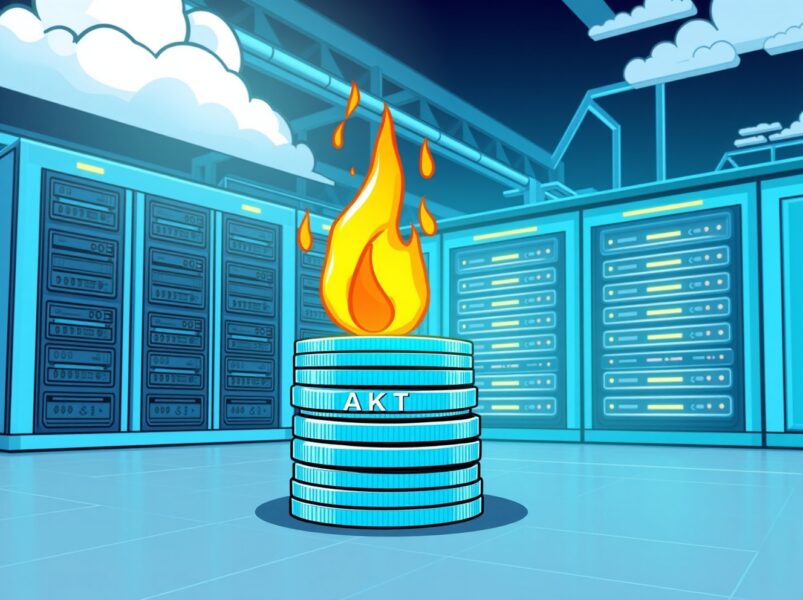
Akash Network’s Strategic Move: A Crucial Burn for AKT’s Future

Akash Network’s Strategic Move: A Crucial Burn for AKT’s Future

BitcoinWorld Akash Network’s Strategic Move: A Crucial Burn for AKT’s Future In the dynamic world of decentralized computing, exciting developments are constantly shaping the future. Today, all eyes are on Akash Network, the innovative supercloud project, as it proposes a significant change to its tokenomics. This move aims to strengthen the value of its native token, AKT, and further solidify its position in the competitive blockchain space. The community is buzzing about a newly submitted governance proposal that could introduce a game-changing Burn Mint Equilibrium (BME) model. What is the Burn Mint Equilibrium (BME) for Akash Network? The core of this proposal revolves around a concept called Burn Mint Equilibrium, or BME. Essentially, this model is designed to create a balance in the token’s circulating supply by systematically removing a portion of tokens from existence. For Akash Network, this means burning an amount of AKT that is equivalent to the U.S. dollar value of fees paid by network users. Fee Conversion: When users pay for cloud services on the Akash Network, these fees are typically collected in various cryptocurrencies or stablecoins. AKT Equivalence: The proposal suggests converting the U.S. dollar value of these collected fees into an equivalent amount of AKT. Token Burn: This calculated amount of AKT would then be permanently removed from circulation, or ‘burned’. This mechanism creates a direct link between network utility and token supply reduction. As more users utilize the decentralized supercloud, more AKT will be burned, potentially impacting the token’s scarcity and value. Why is This Proposal Crucial for AKT Holders? For anyone holding AKT, or considering investing in the Akash Network ecosystem, this proposal carries significant weight. Token burning mechanisms are often viewed as a positive development because they can lead to increased scarcity. When supply decreases while demand remains constant or grows, the price per unit tends to increase. Here are some key benefits: Increased Scarcity: Burning tokens reduces the total circulating supply of AKT. This makes each remaining token potentially more valuable over time. Demand-Supply Dynamics: The BME model directly ties the burning of AKT to network usage. Higher adoption of the Akash Network supercloud translates into more fees, and thus more AKT burned. Long-Term Value Proposition: By creating a deflationary pressure, the proposal aims to enhance AKT’s long-term value, making it a more attractive asset for investors and long-term holders. This strategic move demonstrates a commitment from the Akash Network community to optimize its tokenomics for sustainable growth and value appreciation. How Does BME Impact the Decentralized Supercloud Mission? Beyond token value, the BME proposal aligns perfectly with the broader mission of the Akash Network. As a decentralized supercloud, Akash provides a marketplace for cloud computing resources, allowing users to deploy applications faster, more efficiently, and at a lower cost than traditional providers. The BME model reinforces this utility. Consider these impacts: Network Health: A stronger AKT token can incentivize more validators and providers to secure and contribute resources to the network, improving its overall health and resilience. Ecosystem Growth: Enhanced token value can attract more developers and projects to build on the Akash Network, fostering a vibrant and diverse ecosystem. User Incentive: While users pay fees, the potential appreciation of AKT could indirectly benefit those who hold the token, creating a circular economy within the supercloud. This proposal is not just about burning tokens; it’s about building a more robust, self-sustaining, and economically sound decentralized cloud infrastructure for the future. What Are the Next Steps for the Akash Network Community? As a governance proposal, the BME model will now undergo a period of community discussion and voting. This is a crucial phase where AKT holders and network participants can voice their opinions, debate the merits, and ultimately decide on the future direction of the project. Transparency and community engagement are hallmarks of decentralized projects like Akash Network. Challenges and Considerations: Implementation Complexity: Ensuring the burning mechanism is technically sound and transparent will be vital. Community Consensus: Achieving broad agreement within the diverse Akash Network community is key for successful adoption. The outcome of this vote will significantly shape the tokenomics and economic model of the Akash Network, influencing its trajectory in the rapidly evolving decentralized cloud landscape. The proposal to introduce a Burn Mint Equilibrium model represents a bold and strategic step for Akash Network. By directly linking network usage to token scarcity, the project aims to create a more resilient and valuable AKT token, ultimately strengthening its position as a leading decentralized supercloud provider. This move underscores the project’s commitment to innovative tokenomics and sustainable growth, promising an exciting future for both users and investors in the Akash Network ecosystem. It’s a clear signal that Akash is actively working to enhance its value proposition and maintain its competitive edge in the decentralized future. Frequently Asked Questions (FAQs) 1. What is the main goal of the Burn Mint Equilibrium (BME) proposal for Akash Network? The primary goal is to adjust the circulating supply of AKT tokens by burning a portion of network fees, thereby creating deflationary pressure and potentially enhancing the token’s long-term value and scarcity. 2. How will the amount of AKT to be burned be determined? The proposal suggests burning an amount of AKT equivalent to the U.S. dollar value of fees paid by users on the Akash Network for cloud services. 3. What are the potential benefits for AKT token holders? Token holders could benefit from increased scarcity of AKT, which may lead to higher demand and appreciation in value over time, especially as network usage grows. 4. How does this proposal relate to the overall mission of Akash Network? The BME model reinforces the Akash Network‘s mission by creating a stronger, more economically robust ecosystem. A healthier token incentivizes network participants, fostering growth and stability for the decentralized supercloud. 5. What is the next step for this governance proposal? The proposal will undergo a period of community discussion and voting by AKT token holders. The community’s decision will determine if the BME model is implemented on the Akash Network. If you found this article insightful, consider sharing it with your network! Your support helps us bring more valuable insights into the world of decentralized technology. Stay informed and help spread the word about the exciting developments happening within Akash Network. To learn more about the latest crypto market trends, explore our article on key developments shaping decentralized cloud solutions price action. This post Akash Network’s Strategic Move: A Crucial Burn for AKT’s Future first appeared on BitcoinWorld.
Paylaş
Coinstats2025/09/22 21:35